Smart plugs are a simple way to make an ordinary lamp, fan, or other plug-in device easier to control. They are often a better first step into home automation than replacing several devices at once. Here is what they do well, where they fall short, and how to use them safely.
Why Start With a Smart Plug?
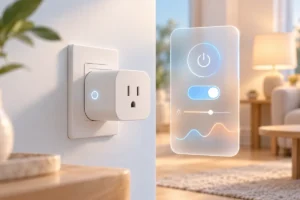
A smart plug fits between a wall outlet and a device. Once connected, it lets you switch power through an app. Many models also support schedules and voice assistants. You get a useful bit of automation without changing light fixtures, installing switches, or replacing appliances that still work.
That makes the first experiment small and easy to reverse. If a plug does not suit the lamp beside your bed, you can move it to a desk light instead. You can also learn which features you actually use before spending more on a wider smart-home setup.
There is one important limit: a smart plug controls power, not the device’s buttons or settings. It works best with something that turns back on automatically when power returns, such as a lamp with a physical switch left in the on position. For a broader view of what to add later, see our smart-home starter guide.
What Setup Usually Involves
Most Wi-Fi smart plugs follow a similar setup process. Plug one into an outlet, install its maker’s app, create an account if required, and follow the pairing steps. Give the plug a clear name, such as “Living Room Lamp,” so it is easy to find later. The app should then let you turn it on and off from your phone.
Check the plug’s network requirements before choosing one. Some models connect only to a 2.4 GHz Wi-Fi network, even if your router also offers 5 GHz. A weak signal near the outlet can make control unreliable. If your home network is the bigger issue, our guide to Wi-Fi 6, Wi-Fi 7, and whether an upgrade makes sense explains what newer router standards can and cannot fix.
Also check whether the plug supports the voice assistant or smart-home platform you already use. You do not need voice control to benefit from a smart plug, but matching platforms can save you from managing another routine in another app. If setup fails, move the plug closer to the router for pairing and follow the maker’s instructions rather than repeatedly resetting other network equipment.
Schedules That Solve Small Daily Problems
Schedules are often more useful than opening an app to tap an on-off button. A bedside lamp can turn on shortly before your usual wake-up time. A living-room lamp can switch on in the evening, then turn off around bedtime. Some apps also offer sunset-based schedules, which adjust as daylight hours change.
Start with one routine you can easily check. If you work different hours each week, a fixed schedule may become annoying rather than helpful. Look for a manual override in the app, and make sure everyone at home knows they can still use the plug’s physical button if it has one.
Schedules do not make every device safe to leave unattended. Avoid using a smart plug to start a space heater, iron, or other high-heat appliance while you are away or asleep. A schedule also cannot tell whether a fan has fallen over or a device is covered. Use automation for low-risk tasks, such as lighting, and keep ordinary safety habits in place.
What Energy Monitoring Can Tell You
Some smart plugs measure the electricity used by the connected device. This can help answer practical questions: Does that old lamp use much power? How much does a desk setup draw while you are working? Does a device still use electricity while it appears to be off? The figures may be shown as current power use, a daily total, or a longer history, depending on the model and app.
Energy monitoring is useful for learning, but it is not a promise of big savings. Switching off a low-power device may make little difference to a bill. A plug’s readings can also be less precise than a dedicated meter, so treat them as a guide rather than a billing-grade measurement.
If this feature matters to you, confirm that the exact plug model includes it. Not every smart plug does, even within the same product family. Check whether the app shows a useful history and whether exporting readings requires an account or another service. The best result is often a clearer picture of your habits, not an automatic reduction in electricity use.
Clever Uses Around the House
Table lamps are a natural starting point, but they are not the only option. A smart plug can put decorative lights on an evening schedule, turn a simple desk fan off at a set time, or make it easier to cut power to a group of low-power desk accessories connected through a suitable power strip. Check the ratings of both the strip and the plug before combining devices.
In a home office, a plug can provide a clear end-of-day switch for a lamp or other accessories that are safe to power off together. It is less suitable for a computer, external drive, or printer that may need to finish a task before losing power. For more simple workspace improvements, see our guide to setting up a home office on a small budget.
You can also use an occasional timer for lights while you are away, but do not treat it as a security system. Whatever the room, try the device first: switch the smart plug off, then on, and see whether the device resumes in the state you want. That quick check prevents many disappointing routines.
Safety, Privacy, and Limits
Before connecting anything, read the smart plug’s electrical rating and the device’s power requirements. The plug must be suitable for your outlet and for the load it will control. Do not assume that a small plug is appropriate for a high-power appliance. If a product or appliance manual warns against using an external timer or remote switch, follow that warning.
Place plugs where air can circulate, and do not cover them with fabric or furniture. Watch for unusual warmth, damage, or a loose fit in the outlet, and stop using a plug if something seems wrong. Heat can also affect other electronics nearby; our guide to protecting gadgets from summer heat covers sensible precautions.
A smart plug may depend on an app, an account, or an internet connection for some features. Before choosing one, check what still works if the internet is down and whether the maker provides software updates. Use a strong, unique account password and keep the app updated. If you do not want another cloud-connected device at home, look for a model whose local-control options and privacy policy meet your needs.
A Practical Checklist for Your First Plug
Pick the device you want to control before comparing plugs. A lamp that turns on when power returns is a better first choice than an appliance with a digital start button. Then compare the features against that one job, rather than paying attention to every automation claim on a product page.
- Outlet fit: Check that the plug will not block a neighboring socket you need.
- Electrical rating: Match the plug to the device and follow both manuals.
- Connection: Confirm your Wi-Fi setup and any required hub or smart-home platform.
- Useful features: Choose schedules, energy monitoring, or voice support only if you expect to use them.
- Everyday control: Look for a physical button and an app that makes overrides straightforward.
Set up one plug and live with it for a week before adding more. Try a schedule, check how it behaves after a power or internet interruption, and ask whether the routine saves you effort. If it does, you have a good reason to expand. If it does not, you have learned that with a small, movable device rather than a house full of unwanted automation.
Frequently Asked Questions
Will a smart plug work with any appliance?
No. Check the plug’s electrical rating and the appliance manual, and choose a device that safely resumes operation when power returns.
Do smart plugs need Wi-Fi?
Many use Wi-Fi, but connection requirements vary by model. Check whether a plug needs a hub and which features work without internet access.
Can a smart plug lower my electricity bill?
It may help you spot waste or turn devices off on a schedule, but savings depend on what you connect and how you use it.
Is energy monitoring included with every smart plug?
No. Check the features of the exact model if you want power readings or usage history.
Final Thoughts
A smart plug is a low-commitment way to find out whether home automation is useful to you. Start with a suitable lamp, build one helpful schedule, and add energy monitoring only if you want the information. Check compatibility and electrical safety first; convenience should never come at the cost of either.