You don’t need a big budget to work comfortably from home. You just need to spend in the right order: first on the things your body touches all day, and last on the extras. This guide covers what to prioritize, where you can save, and which items are safe to buy second-hand.
Start With Priorities, Not a Shopping List
The most common mistake is buying the fun items first. A new keyboard or a desk lamp with app controls feels exciting. But if your chair hurts your back, none of that helps.
We researched common advice from ergonomics guides and long-term home workers, and the order of importance is fairly consistent:
- Chair: you sit in it for hours, so it affects your back, neck and hips the most.
- Screen height and size: a screen that is too low makes you hunch forward.
- Desk: it needs the right height and enough space, but it doesn’t need to be fancy.
- Lighting: good light reduces eye strain and makes video calls look better.
- Accessories: keyboard, mouse, cable tidying and storage come last.
Before buying anything, use what you already have for a week. Notice what actually bothers you. Sore lower back? Start with the chair. Tired eyes in the evening? Look at lighting. Let real problems guide your spending.
The Chair: Where Your Money Matters Most
If you can only improve one thing, make it the chair. A dining chair works for an hour or two, but over a full workday most people start to feel it.
A good budget office chair should have a few basic features:
- Adjustable seat height, so your feet rest flat on the floor.
- Some lower back (lumbar) support, either built in or adjustable.
- A seat that isn’t so deep that it presses behind your knees.
- A stable five-wheel base.
Armrests are nice but not essential. If they are fixed and too high, they can actually push your shoulders up, so armless or adjustable is often better than fixed.
Be careful with very cheap “gaming” style chairs. Some look supportive but use thin foam that flattens quickly. A plain mesh task chair is often the more comfortable choice at the same price.
If your budget is very tight, a small lumbar cushion and a footrest (even a sturdy box) can make an existing chair much more comfortable for very little money.
The Desk: Simple and Stable Is Enough
A desk doesn’t need drawers, lights or clever features. It needs to be stable, the right height, and deep enough to hold your screen at a comfortable distance.
A typical desk height is around 70 to 76 cm (roughly 28 to 30 inches). The goal is that your elbows sit at about a right angle when typing, with relaxed shoulders. If the desk is a little too high, raise your chair and add a footrest.
Depth matters more than people expect. A narrow desk forces your monitor too close to your face. Aim for at least 60 cm (about 24 inches) of depth if you use an external monitor.
Budget-friendly options include:
- A basic flat-pack desk with a solid frame.
- A kitchen worktop or plain tabletop on two drawer units or trestle legs.
- A used office desk, which is often heavier and sturdier than new budget models.
Standing desks are useful, but they are not a requirement. Taking regular short breaks to stand and walk gives you many of the same benefits for free.
The Monitor: Get Your Screen Up to Eye Level
Working only on a laptop screen means looking down all day. Over time, that can lead to neck and shoulder strain. An external monitor fixes this and also gives you more space to work.
For most office work, a 24-inch monitor with Full HD (1920 x 1080) resolution is a good, affordable choice. A 27-inch screen at 1440p is a nice step up if you work with spreadsheets or several windows side by side. You don’t need high refresh rates or HDR for office tasks.
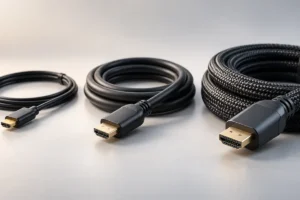
Check the connections before buying. Make sure the monitor has a port your laptop supports, such as HDMI or USB-C, or plan for a simple adapter.
Position matters as much as the screen itself:
- The top of the screen should be at or slightly below eye level.
- Keep it about an arm’s length away.
- If the stand is too low, a stack of books or a basic monitor riser works fine.
If you only use a laptop, a laptop stand plus a separate keyboard and mouse is the cheapest way to raise the screen.
Lighting: Cheap Fixes for Tired Eyes
Poor lighting is one of the easiest problems to fix, and one of the most ignored. A dim room with a bright screen makes your eyes work harder.
Start with natural light. Place your desk so the window is to the side of you, not directly behind the screen or behind you. A window behind the monitor causes glare and squinting. A window behind you causes reflections on the screen.
For evenings, add a simple desk lamp or a soft room light. A few things to look for:
- A neutral or warm white bulb. Many people find around 4000K comfortable for work. You can read more about color temperature if you want the details.
- Light aimed at the desk or wall, not into your eyes.
- An LED bulb, which stays cool and uses little power.
Monitor light bars are popular, but a plain lamp positioned well does most of the same job. For video calls, a light source in front of you, behind the screen, helps your face look clear without buying a ring light.
What to Buy Second-Hand (and What to Skip)
Buying used is one of the best ways to stretch a small budget. Offices often replace furniture in bulk, and good-quality items end up on local listings and in office clearance shops.
Usually good to buy used:
- Office chairs: well-built task chairs from business brands are designed to last years. Test the height lever, tilt and wheels in person.
- Desks: solid desks rarely wear out. Check for wobble and damaged legs.
- Monitors: check for dead pixels, screen scratches and that all ports work. Ask to see it turned on.
- Lamps and monitor arms: simple items with little to go wrong.
Be more careful with:
- Chairs with worn foam or a sinking gas lift: sit in it for a few minutes. If it slowly lowers, the cylinder needs replacing.
- Electric standing desks: motors and controllers can fail and may be hard to repair.
- Cheap webcams and headsets: hygiene and hidden faults make these less worth the saving.
Always see used items in person where possible, and meet in a safe public place or with someone else present.
Practical Tips: How to Split a Small Budget
Every budget is different, but this simple guide shows where your money tends to make the biggest difference:
- Largest share – chair: worth buying new or quality used. Comfort here affects everything else.
- Second – monitor: a basic 24-inch screen, new or used, gives a big upgrade over a laptop alone.
- Third – desk: a stable, plain desk or a DIY tabletop is fine. Used desks are often the best value.
- Smallest share – lighting and accessories: a lamp, a laptop stand, a basic keyboard and mouse.
A few extra money-saving ideas:
- Use what you already own first, like books as a monitor riser or a box as a footrest.
- Upgrade one item at a time and see how much it helps before buying the next.
- Check whether your employer offers a home office allowance or lets you borrow equipment.
- Use cable ties or velcro straps instead of special cable management kits.
Frequently Asked Questions
Is a standing desk worth it on a small budget?
Usually not as a first purchase. A good chair and a properly raised screen matter more. Standing up and moving every 30 to 60 minutes gives many of the same benefits at no cost.
Can I just use my laptop without a monitor?
You can, but raise it. A laptop stand with a separate keyboard and mouse brings the screen closer to eye level and reduces neck strain.
How do I check a used office chair?
Sit in it for a few minutes. Test the height adjustment, check that it doesn’t slowly sink, look for torn fabric or flat foam, and roll it to make sure the wheels move smoothly.
What is the cheapest way to improve video call quality?
Face a window or place a lamp behind your screen so light falls on your face. Raise your laptop so the camera is at eye level. These two changes often help more than a new webcam.
Conclusion
A comfortable home office is about smart priorities, not big spending. Put your money into a supportive chair and a screen at the right height first, keep the desk simple, and fix your lighting with basic, low-cost changes. Buy sturdy items second-hand where it makes sense, and upgrade slowly based on what your body tells you. Done this way, a small budget can go a long way.