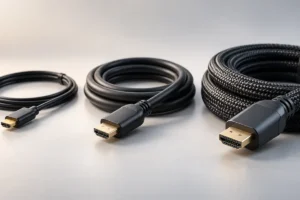
Walk into any electronics aisle and you will see HDMI cables that cost a few dollars sitting next to ones that cost as much as a streaming stick. The packaging on the expensive ones promises sharper pictures, richer colors, and better sound. So does paying more actually get you a better picture? We researched how HDMI works, what the official certifications mean, and where your money is better spent.
How HDMI Actually Sends Your Picture
The most important thing to know is that HDMI is a digital connection. Your streaming box, console, or laptop sends the picture and sound as a stream of ones and zeros.
With old analog cables, like the red, white, and yellow ones many of us grew up with, a better cable really could mean a cleaner picture. Weak signals showed up as fuzz, ghosting, or hiss.
Digital signals do not work that way. The TV either receives the data correctly, or it does not. There is no “slightly sharper” or “slightly more colorful” version of the same data.
This means a working cheap cable and a working expensive cable deliver the exact same picture. The colors, the sharpness, and the sound are decided by your source device and your TV, not by the wire in between.
That is the core truth behind this whole debate. Price does not change picture quality. What a cable can affect is whether the signal arrives at all, and how much data it can carry.
What a Failing Cable Really Looks Like
If a digital cable is not good enough for the job, you will not see a softer or duller image. Instead, you will see clear and obvious problems.
Common signs of a cable that cannot keep up include:
- A black screen that flickers on and off
- Small white or colored dots, often called “sparkles”
- Audio that cuts out or drops for a second
- A “no signal” message after the picture worked a moment ago
- Your TV or console falling back to a lower resolution or refresh rate
Engineers sometimes call this the “digital cliff.” A cable works perfectly up to a point, then falls off sharply when it is pushed past its limit.
So if your picture looks clean and stable, your cable is doing its job. Swapping it for a pricier one will not make it look better. If you see the problems above, the fix is usually a cable with the right certification, not a more expensive brand.
The Certifications That Actually Matter
Instead of looking at price, look at the cable’s certified speed category. The group that manages the HDMI standard runs official cable certification programs. These are the main labels you will see:
- High Speed HDMI Cable: The older standard. Fine for 1080p and basic 4K at lower frame rates.
- Premium High Speed HDMI Cable: Certified for up to 18Gbps. Handles 4K at 60 frames per second with HDR.
- Ultra High Speed HDMI Cable: Certified for up to 48Gbps. Made for HDMI 2.1 features like 4K at 120Hz, 8K, and variable refresh rate gaming.
- Ultra96 HDMI Cable: A newer category tied to the HDMI 2.2 standard, designed for up to 96Gbps. Very few people need this today.
Genuine certified cables usually carry an official label on the box with a QR code. You can scan it with the official HDMI cable certification app to check that the label is real.
This label is far more useful than words like “gold,” “premium,” or “pro” printed on the package.
Marketing Claims You Can Safely Ignore
Expensive HDMI cables often lean on features that sound impressive but make little or no difference to what you see and hear.
Gold-plated connectors: Gold resists rust and corrosion. That can matter in a damp location over many years, but it does not improve the picture. Most cheap cables have gold plating anyway.
“Better colors” or “deeper blacks”: As explained above, a digital cable cannot change colors. These claims do not match how HDMI works.
Oxygen-free or specialty copper: This is borrowed from the world of high-end audio. For a short HDMI cable, it does not change the result on screen.
Version numbers like “HDMI 2.1 cable”: HDMI versions describe devices, not cables. A cable is meant to be described by its speed category, such as Ultra High Speed. A box that only says “2.1” without a certification label tells you very little.
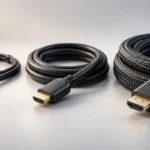
Braided jackets and sturdy connectors can be nice for durability. Just know you are paying for toughness and looks, not picture quality.
When Spending More Can Make Sense
There are a few real situations where a more expensive cable is worth it. In each case, you are paying for a capability, not a nicer image.
Long cable runs: Regular copper HDMI cables start to struggle over longer distances, especially at high speeds. For runs of roughly 5 meters (about 16 feet) or more at 4K, many people use active or fiber optic HDMI cables. These have small electronics inside to boost the signal and do cost more.
In-wall installation: If a cable goes inside a wall, look for one rated for in-wall use under your local building rules. Replacing it later is a big job, so buying a quality certified cable up front is sensible.
High-end gaming: If you have a newer console or graphics card and a TV that supports 4K at 120Hz, you need an Ultra High Speed cable. An older cable may cause dropouts or limit your settings.
Heavy daily use: If you plug and unplug a cable often, such as with a travel laptop, a sturdier build may last longer.
Where Cheap Cables Win
For most homes, an affordable certified cable is the smart choice. Here is where budget options clearly come out ahead:
- Short distances: Connecting a streaming box or soundbar a meter or two from the TV is easy work for almost any certified cable.
- 1080p or standard 4K TVs: A Premium High Speed cable handles 4K at 60Hz with HDR, which covers most streaming and cable TV.
- Spare cables: For a bedroom TV, an office monitor, or a backup in the drawer, there is no reason to overspend.
- Value per dollar: As of late 2026, certified Ultra High Speed cables of around 2 meters are commonly found in roughly the $10 to $25 range, while some heavily marketed cables of the same length cost several times more for the same certified performance.
The key word is certified. A very cheap cable with no certification label is a gamble. A low-cost cable that carries a genuine certification label is usually a safe bet.
Practical Tips: Picking the Right HDMI Cable
Use this simple guide to match the cable to your setup:
- 1080p TV, streaming stick, or cable box: High Speed or Premium High Speed is plenty.
- 4K TV for streaming and movies: Premium High Speed works well. Ultra High Speed adds headroom for the future.
- Newer gaming console or PC at 4K 120Hz: Choose Ultra High Speed.
- Soundbar or receiver using eARC: Ultra High Speed is a good pick, since some advanced audio formats work best with it.
- Runs over about 5 meters: Look at certified active or fiber optic HDMI cables.
A few more habits help too. Buy only the length you need, since extra length adds strain on the signal. Check for the official label and scan its QR code. And if you see dropouts, try a different HDMI port on the TV before buying anything new, because some ports support higher speeds than others.
Frequently Asked Questions
Will an expensive HDMI cable make my 4K picture sharper?
No. If your current cable shows a stable picture with no dropouts, a pricier cable will not make it sharper or more colorful. HDMI is digital, so the picture is either delivered correctly or it shows clear errors.
Do I need an Ultra High Speed cable?
Only if you use HDMI 2.1 features like 4K at 120Hz, 8K, or variable refresh rate gaming. For regular 4K streaming at 60Hz, a Premium High Speed cable is enough. Still, Ultra High Speed cables are often affordable, so many people choose them for future-proofing.
Can I reuse my old HDMI cable with a new TV?
Often, yes. Try it first. If the picture is stable at the resolution and refresh rate you want, keep using it. If you notice flickering, sparkles, or audio dropouts, upgrade to a certified cable that matches your needs.
Are gold-plated HDMI connectors worth it?
Gold plating helps resist corrosion over time, but it does not improve picture or sound. Since most cables, including cheap ones, already have it, it should not be a reason to pay more.
The Bottom Line
When it comes to HDMI cables, price does not decide picture quality. Certification and length do. For most people, an affordable cable with a genuine certification label that matches their devices is all they need.
Save the extra money for long runs, in-wall installs, or high-end gaming setups where a specific capability is required. Everywhere else, cheap and certified is the honest winner.