Power bank boxes are full of big numbers like 20,000 mAh, 65W and PD 3.0, but those numbers don’t tell you much unless you know what they mean. This guide explains the specs in plain English, so you can pick a power bank that actually charges your phone or laptop quickly instead of slowly draining its own battery.
mAh: What Capacity Really Tells You
mAh stands for milliamp-hours. It is the number most brands put in the biggest font, and it describes how much charge the battery cells inside can hold.
The catch is that the mAh figure is measured at the voltage of the cells inside the power bank, which is usually about 3.7 volts. Your phone gets charged at 5 volts or more over USB. Converting between those voltages wastes some energy as heat, and the cables and the phone’s own charging circuit lose a bit more.
Because of this, you normally get only around 60 to 70 percent of the rated capacity into your device. A 10,000 mAh power bank will not charge a 5,000 mAh phone twice. In practice, it usually gives you about one and a half charges.
Bigger numbers still mean more energy, so mAh is useful for comparing one power bank with another. Just don’t divide it straight into your phone’s battery size and expect that many full charges.
Watt-Hours: The Number That Matters for Laptops and Flights
Watt-hours (Wh) are a more honest way to measure capacity, because they include voltage. Laptop batteries are almost always rated in Wh, so this unit makes comparisons much easier.
The math is simple: multiply mAh by the cell voltage, then divide by 1,000. A 20,000 mAh bank at 3.7 volts holds about 74 Wh. Many thin laptops have batteries of roughly 50 to 70 Wh, so after conversion losses, a bank of that size will usually give a laptop somewhere around one full charge, sometimes less.
Watt-hours also matter if you fly. Many airlines and aviation regulators allow power banks up to 100 Wh in carry-on bags without special approval. Larger banks, roughly 100 to 160 Wh, often need airline permission, and power banks are generally not allowed in checked luggage.
That 100 Wh limit is why so many “laptop” power banks stop at around 25,000 to 27,000 mAh. Rules differ between airlines and countries, so check with your airline before you travel.
Watts: Why Output Power Decides Charging Speed
Capacity tells you how much energy is stored. Watts tell you how fast that energy can come out. A huge power bank with low output will still charge your devices slowly.
Here is a rough guide to what different devices can use:
- Basic phones and earbuds: 5W to 12W is enough.
- Most modern smartphones: about 20W to 45W for fast charging, depending on the model.
- Tablets: roughly 20W to 45W.
- Thin laptops: usually 45W to 65W.
- Larger or more powerful laptops: 100W or more.
Your device decides how much power it takes. A 100W power bank won’t hurt a phone that only wants 20W. It just supplies 20W. But a 20W bank cannot give a laptop the 65W it wants, so the laptop will charge very slowly, or only stay level while it is in use.
Also watch for the difference between per-port and total output. A bank labeled “65W” may only deliver that from one port, and the power is shared when you plug in two devices.
Ports: USB-C, USB-A and What Each One Can Do
Ports matter as much as watts, because the port often limits how much power you can get.
USB-C is the port to look for in 2026. It supports the highest charging speeds, works with most new phones, tablets and laptops, and is usually used to recharge the power bank itself. A good USB-C port can go both ways, charging your device or taking power in.
USB-A is the older rectangular port. It is still handy for older cables, earbuds and smartwatches, but it is typically limited to around 12W to 18W, and sometimes less.
Built-in cables are becoming more common. They are convenient because you can’t forget them, but check what wattage the built-in cable supports, since it may be lower than the main USB-C port.
Some power banks also include wireless or magnetic charging pads. These are easy to use but slower and less efficient than a cable, so more energy is lost as heat.
Fast Charging Standards: PD, PPS and Quick Charge
Fast charging only works when the power bank and your device speak the same “language.” These languages are called charging standards.
USB Power Delivery (PD) is the main one. It works over USB-C and is used by iPhones, most Android phones, iPads and almost all USB-C laptops. If you only remember one spec, make it this one. You can read more about how it works on Wikipedia’s USB Power Delivery section.
PPS (Programmable Power Supply) is an add-on to PD. Many Samsung phones and some other Android phones need PPS to reach their top “super fast” charging speeds. Without it, they still charge, just more slowly.
Quick Charge is an older standard from Qualcomm, found on some Android phones. Newer versions are designed to work alongside PD.
Some phone brands also use their own fast charging systems. These usually only reach full speed with that brand’s own chargers, and fall back to a slower standard speed on most power banks.
Size, Weight, Safety and Other Specs Worth Checking
A few smaller details can make a big difference in daily use.
Size and weight: A 10,000 mAh bank is usually pocket-friendly. A 20,000 mAh or larger laptop bank is often heavy enough that you’ll want it in a bag, not a pocket.
Input speed: This is how fast the power bank recharges itself. A large bank with slow input can take most of a day to fill up. Look for USB-C PD input of at least 18W to 30W for mid-size banks, and more for large ones.
Pass-through charging: This lets you charge the bank and your phone at the same time from one wall charger. It’s useful for travel, but not every model supports it.
Safety: Lithium batteries store a lot of energy. Choose well-known brands that list protections such as over-charge, over-heat and short-circuit protection, along with recognized safety certifications. Be wary of unbranded banks claiming huge capacities in tiny bodies, because those numbers are often unrealistic.
Display: A percentage screen is more useful than four small LEDs, and some even show live wattage.
Practical Tips: Matching a Power Bank to Your Needs
Based on what we researched, here is a simple way to choose:
- Phone only, everyday carry: 5,000 to 10,000 mAh with at least 20W USB-C PD output. Light enough for a pocket.
- Phone plus tablet or a long trip: about 20,000 mAh with 30W to 45W USB-C PD, plus a second port for earbuds or a watch.
- Thin laptop: 20,000 to 27,000 mAh with at least 45W to 65W from a single USB-C port.
- Powerful laptop: 100W or more USB-C PD output, while staying under 100 Wh if you plan to fly.
- Samsung phone users: look for PPS support to get the fastest speeds.
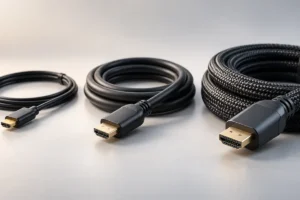
Don’t forget the cable. A cheap USB-C cable may be limited to 60W, so a 100W laptop bank needs a cable rated for 100W or higher. A weak cable can quietly cut your charging speed in half.
Finally, buy for the device you use most, not the biggest number on the shelf. A heavy bank left at home helps no one.
Frequently Asked Questions
Why doesn’t my power bank give as many charges as the mAh suggests?
Energy is lost when the power bank raises its voltage to USB levels, and more is lost as heat in the cable and your phone. Expect roughly 60 to 70 percent of the rated capacity to reach your device.
Can a high-wattage power bank damage my phone?
No, not with a quality power bank that follows standards like USB PD. The phone and power bank agree on a safe power level, and the phone only takes what it can handle.
Can any power bank charge my laptop?
Only if your laptop charges over USB-C and the bank’s USB-C port supplies enough watts, usually 45W or more. Laptops with round barrel chargers generally can’t use standard power banks.
Is it okay to leave my power bank fully charged all the time?
It’s fine for short periods. For long-term storage, many battery makers suggest keeping it around half charged in a cool place and topping it up every few months.
Conclusion
Choosing a good power bank comes down to three questions: how much energy you need (mAh or Wh), how fast your device can charge (watts), and whether the ports and standards match (USB-C PD, and PPS for some phones). Get those three right, add a good cable, and your power bank will actually keep up with your phone or laptop.