Your phone battery starts aging the day you take the phone out of the box, but how fast it ages is mostly up to you. Many common habits are fine, and a few quietly wear the battery down. This guide explains the basic chemistry in plain words and gives you simple, honest habits that help a battery stay healthy for years.
What Is Actually Inside Your Phone Battery
Almost every modern phone uses a lithium-ion battery. Inside it, tiny charged particles called lithium ions move between two sides of the cell. When you charge, they move one way. When you use the phone, they move back.
Every trip back and forth causes a little wear. Over time, small side reactions build up a layer inside the cell and use up some of the lithium. The battery can then hold less energy than it did when new.
This is why battery health slowly drops from 100% to 90%, then 85%, and so on. It is normal and cannot be stopped completely.
The good news is that the speed of this wear depends on three main things you can influence:
- Heat: warm batteries age faster.
- Charge level: sitting at 100% or near 0% for long periods adds stress.
- Charge cycles: each full cycle adds a small amount of wear.
Keep these three in mind, and the rest of the advice will make sense.
The Charging Range That Matters Most
You may have heard the “20 to 80 rule.” The idea is to keep your battery between roughly 20% and 80% most of the time. There is real science behind it.
When a lithium-ion battery is very full, the voltage inside each cell is high. High voltage speeds up the chemical side reactions that cause aging. When the battery is nearly empty, the cell is also under extra strain.
The middle range is the most relaxed place for the battery to live. Short top-ups within that range are gentler than one big charge from 5% to 100%.
That said, do not let this rule stress you out. Charging to 100% before a long day or a trip is perfectly fine. The problem is not reaching 100%. The problem is sitting at 100% for many hours, day after day, especially when the phone is warm.
Think of it as a habit, not a strict law. If you stay in the middle most days and go full only when you need it, you are already doing well.
Fast Charging: Myths and Facts
Fast charging has a scary reputation, but much of it is out of date. Phone makers design their batteries and charging chips to handle the speeds they support.
Here is how it usually works. The phone charges fastest when the battery is low. As it fills up, especially past about 80%, the phone slows the charge down on its own. This protects the cell during the most sensitive part of charging.
The real enemy is not speed. It is heat. Fast charging can make a phone warmer, and heat is what speeds up aging. So the honest answer is this: fast charging is fine in normal use, but avoid combining it with other heat sources.
- Do not fast charge while gaming or recording long videos.
- Do not fast charge in a hot car or under direct sun.
- Take off a thick case if the phone feels hot while charging.
If you are not in a hurry, a slower charger is a little kinder to the battery. If you are in a hurry, use fast charging without guilt. Just keep the phone cool.
Heat Is the Biggest Battery Killer
If you remember only one thing from this article, make it this: keep your phone cool. Heat speeds up the chemical reactions that wear out a battery, and the damage adds up over time.
Phones are most comfortable at normal room temperature. They can handle warm days, but long exposure to high heat causes lasting harm. A full battery in a hot place is the worst combination of all.
Common heat traps include:
- Leaving the phone on a car dashboard or seat in summer.
- Charging under a pillow or blanket.
- Heavy gaming while plugged in.
- Using navigation in a windshield mount in direct sunlight.
Cold is less harmful in the long run, but it can make the battery drain faster or shut the phone off early. Let a cold phone warm up to room temperature before charging it.
Wireless charging also tends to create more heat than a cable, partly because some energy is lost along the way. It is convenient and safe, but a cable is usually the cooler choice for everyday charging.
Overnight Charging and Built-In Battery Features
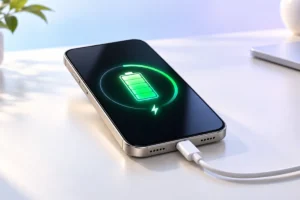
Charging overnight used to mean the phone sat at 100% for hours. Today, most phones have smart features that reduce this stress.
On iPhones, a setting called Optimized Battery Charging learns your routine. It holds the charge at around 80% and finishes topping up shortly before you usually unplug. Newer iPhones also offer an option to cap charging at 80% or another limit you choose.
Many Android phones have similar tools. Google Pixel phones offer Adaptive Charging. Samsung Galaxy phones include battery protection options that can stop charging at a set level, such as 80% or 85%. Names and menus vary by brand and software version.
We researched these features across major brands, and the advice is consistent: turn them on. They do the work of the “20 to 80 rule” for you, with almost no effort.
You can usually find them in your settings under “Battery” or “Battery health.” If you need a full charge for a long day, most of these features let you skip the limit once.
Old Battery Advice You Can Safely Ignore
A lot of battery advice comes from older battery types that worked differently. Here are a few myths that no longer apply to modern phones.
Myth: You must drain the battery to 0% before charging. This was true for old nickel-based batteries, which had a “memory effect.” Lithium-ion batteries do not work this way. Deep drains actually add stress.
Myth: You should do a full cycle every week to “calibrate” it. The phone’s battery meter may sometimes drift a little, but regular full drains are not needed and only add wear.
Myth: Charging a little at a time is bad. Short top-ups are fine. In fact, they are often gentler than full cycles.
Myth: Closing all background apps saves the battery. Modern systems manage apps well. Force-closing them often means they reload from scratch, which can use more power, not less.
Letting go of these myths makes battery care simpler. Fewer rules, better results.
Practical Habits: Helpful vs Harmful
Here is a quick side-by-side guide you can keep in mind every day.
Habits that help your battery:
- Turning on your phone’s optimized or limited charging feature.
- Keeping the charge mostly between about 20% and 80%.
- Charging in a cool, open spot with good airflow.
- Using the charger from the phone maker or a certified, well-known brand.
- Storing an unused phone at around 50% charge in a cool place.
Habits that harm your battery:
- Leaving the phone in a hot car or in direct sun.
- Gaming or streaming for hours while fast charging.
- Letting the battery hit 0% often.
- Keeping the phone at 100% on a warm charger all day.
- Using cheap, uncertified chargers and cables.
You do not need to be perfect. Even fixing two or three harmful habits can make a real difference over a few years.
Frequently Asked Questions
How long should a phone battery last?
It depends on the phone and how it is used. Apple, for example, says recent iPhones are designed to keep about 80% of their original capacity after around 1,000 full cycles. For many people, that means two to four years of good daily use before a replacement makes sense.
Is it bad to use my phone while it charges?
Light use like messaging or browsing is fine. Heavy tasks such as gaming or video calls create extra heat, so it is better to avoid them during fast charging.
Can a power bank damage my battery?
A good-quality power bank from a known brand is safe. Very cheap, unbranded models may deliver unstable power, so it is worth choosing one with proper safety certification.
How do I check my battery health?
On iPhone, go to Settings, then Battery, then Battery Health. Many Android phones show battery information in Settings or in a built-in care or diagnostics app. The exact location depends on your brand and software version.
Conclusion
Keeping a phone battery healthy does not take special tools or strict routines. Keep it cool, avoid sitting at 100% or 0% for long periods, and turn on the smart charging feature your phone already has. Fast charging is fine when the phone stays cool. With these simple habits, your battery can stay strong for years, and your phone will feel newer for longer.