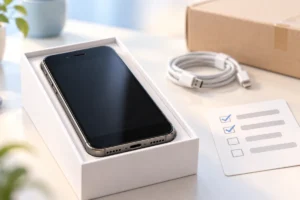
An old phone, laptop, or pair of headphones can still be useful to someone else. But a safe sale takes more than posting a photo: you need to protect your data, describe the device honestly, choose a sensible price, and confirm payment before handing it over.
Choose the Right Way to Sell or Trade In
A private sale may bring in more money, but it also means answering messages, arranging delivery, and handling payment yourself. A trade-in is usually simpler: you describe the device, receive an estimate, and send it in or bring it to a participating store. That estimate may change after inspection, so read the condition rules and check whether you can reject a revised offer.
Compare the amount you would actually receive, not just the headline offer. A private sale may involve platform fees, postage, packaging, or travel. Some trade-ins pay in store credit rather than cash, which matters if you do not plan to shop there.
Check what each option requires before you start. A trade-in may expect a charger or other original parts; a private buyer may want to see the device working. If you are including cables, identify them accurately rather than assuming every USB-C cable does the same job. Our guide to USB-C cables, chargers, and speeds explains the differences.
Set a Realistic Price Before You List
Start with the exact model, storage capacity, age, and condition. Similar-looking devices can have different values, so check the model number in the settings or on the device rather than guessing from its name. Note whether it is locked to a mobile network and whether the battery, ports, screen, and buttons work properly.
Look at recently sold listings for the same model and condition where possible. Asking prices show what sellers hope to get; completed sales give a better clue about what buyers will pay. Leave room for fees and postage, and decide on your lowest acceptable amount before messages arrive.
Be careful with a surprisingly high offer. It may be genuine, but it is not a reason to skip payment checks or move a conversation off the platform. If you are selling a phone to fund a replacement, work out your budget separately. Our guide to choosing a budget smartphone can help you focus on the features you need without relying on an uncertain sale price.
Back Up Your Files and Remove Your Data
Do not erase a device until you have checked your backup. Open a few saved photos and files on another device, and make sure contacts, messages, and app data you need have transferred. If you are sorting an Android phone first, our guide to freeing up Android storage may help you find large files. Deleting a few files, however, is not a substitute for preparing the phone for a new owner.
Follow the device maker’s instructions to sign out of accounts, turn off tracking or activation locks, and perform a factory reset. Remove SIM cards and memory cards. For a laptop, use the operating system’s reset instructions and choose its drive-cleaning option when appropriate. A factory reset may not be enough for every older device or sensitive storage drive; check the manufacturer’s secure-erase guidance if you are unsure.
Afterward, turn the device on to confirm it reaches the setup screen without asking for your account. If it is managed by an employer or school, ask the administrator to release it before offering it for sale.
Show the Device Honestly in Photos and Words
Clean the outside gently, then photograph the device in good light against a plain background. Show the front, back, sides, ports, and any scratches or cracks. Include a photo of the screen turned on if it works. Avoid filters or angles that hide damage; clear photos can prevent disputes after the sale.
Write down what you have checked and what you have not. For a laptop, that might include whether the keyboard, speakers, camera, charger, and battery work. Battery life changes with use, so avoid promising a number of hours unless you can support it. Our laptop battery guide explains why settings and usage affect how long a charge lasts.
List exactly what comes in the box, including the charger, case, or other accessories. Mention repairs, missing parts, account locks, and faults plainly. Keep serial numbers and other identifiers out of public photos, but have the details ready if a platform or trade-in provider needs them through its normal process. An accurate listing helps the buyer decide and gives both sides a clearer record of the agreed condition.
Watch for Payment and Message Scams
Keep messages and payment inside the selling platform when it offers those tools. Be wary of someone who wants to move the conversation to a different app immediately, sends a link to “confirm” your account, or asks for a one-time code. Do not enter payment details through a link sent by a buyer; open the platform yourself instead.
A screenshot, email, or message saying you have been paid is not proof that money has arrived. Check the payment in your own bank or platform account before handing over or shipping the device. Never send money to a buyer to “release” a payment or cover an unexpected account fee.
For an in-person sale, a busy public place in daylight is a sensible choice. If you accept a bank transfer, confirm it in your own banking app rather than relying on the buyer’s screen. Cash avoids some online payment tricks, but count it carefully. If a buyer pressures you to hurry, changes the agreed terms at the last moment, or refuses the platform’s normal process, you can end the conversation.
Make the Handoff Clear and Keep Records
Before meeting or shipping, agree on the device, included accessories, price, and delivery method in writing. For an in-person handoff, let the buyer inspect the device while you are present. Confirm payment through your own account before you release it, and give a simple receipt that records the date, model, and agreed condition.
If you ship, use the address provided through the selling platform rather than an address sent later in a message. Pack the device so it cannot move inside the box, follow the carrier’s rules for batteries, and consider tracked shipping. Keep the postage receipt and photos of the packed item. These records can help with a dispute, though they cannot guarantee an outcome.
For a trade-in, save the original quote and read the inspection and return terms before sending anything. Record the device’s condition and accessories, then keep the tracking number. If the final offer changes, compare the stated reason with your records before deciding whether to accept it. Do not ship a device you still need for account access or backups.
A Quick Checklist Before You Let It Go
Use this checklist for a private sale or trade-in. It takes a little time, but it is easier than trying to recover files or settle a disagreement after the device has changed hands.
- Confirm the exact model, storage, condition, and included accessories.
- Compare completed sales or trade-in terms, including fees and possible quote changes.
- Back up important files and check that the backup opens elsewhere.
- Sign out, remove activation locks, erase the device correctly, and take out SIM or memory cards.
- Photograph defects clearly and describe anything you have not checked.
- Keep messages on the platform and never share a one-time login or payment code.
- Verify payment in your own account before handing over or shipping.
- Save the listing, agreement, receipt, and tracking details.
If a step cannot be completed, say so before the sale. For example, an account-locked device or a battery you cannot assess should not be presented as fully working. A clear explanation gives the other person a fair chance to decide.
Frequently Asked Questions
Is a factory reset enough before selling a phone?
Back up your data, sign out of accounts, remove activation locks, and follow the maker’s reset instructions. Remove the SIM and memory card, then check that the phone reaches its setup screen.
Should I accept a screenshot as proof of payment?
No. Check your own bank or selling-platform account and wait until the payment is confirmed there before releasing the device.
Is a trade-in offer final?
Not always. Read the inspection terms before sending the device, because the offer may change if its condition differs from your description.
What should I do if I find a fault after listing my gadget?
Update the listing and tell anyone you are already negotiating with. Give the buyer a chance to reconsider before payment or handoff.
Final Thoughts
A safe sale is built on a checked backup, an honest description, a realistic price, and payment you can verify yourself. Take your time with those steps, and do not let an attractive offer rush you past them.