A drawer full of spare batteries and old gadgets may seem harmless, but poor storage can lead to leaks, damaged devices, or, in rare cases, a fire. A few simple habits can reduce those risks while making it easier to find and recycle what you own.
Know What You Are Storing
Start by separating loose batteries from devices with built-in batteries. Then check the label on each spare battery. Common household types include alkaline AA and AAA batteries, rechargeable nickel-metal hydride (NiMH) cells, lithium coin cells, and rechargeable lithium-ion battery packs. They do not all need the same care.
Keep unused household batteries in their original packaging when possible. It protects the contacts and helps you identify the type and size later. Store loose batteries of different types in separate compartments rather than dropping them into one jar. Do not mix old and new batteries when you put them into a device.
Coin cells deserve extra attention. Their small size makes them a serious swallowing hazard for children, and they can also harm pets. Keep them in secure packaging, well out of reach. If you cannot identify a battery, do not guess how to charge it. Check the label, the device manual, or the maker’s guidance first.
Choose a Sensible Charge Level
For a phone, tablet, laptop, or power bank that will sit unused for months, aim for roughly half a charge before switching it off. Around 40% to 60% is a useful guide for many lithium-ion batteries. Avoid putting a device away completely empty, because it may slowly discharge further and become difficult to recharge.
You do not need to chase an exact number. Check a stored device every few months and top it up if the level has fallen very low. If it has stopped working, looks damaged, or feels unusually hot while charging, stop and seek appropriate help rather than repeatedly trying to revive it. For daily-use habits, see our guide to keeping your phone battery healthy.
Do not charge disposable alkaline batteries. Rechargeable NiMH cells can lose charge while stored, so check their level before you need them. Above all, use a charger intended for the battery or device; a connector that fits does not, by itself, mean the charger is suitable.
Pick a Cool, Dry Place
A cupboard or shelf in a room with a fairly steady temperature is usually a better storage spot than a car, shed, sunny windowsill, or damp basement. Heat speeds up battery aging, while moisture can damage contacts and electronics. Keep batteries and retired devices away from heaters and direct sunlight. For more everyday examples, read our guide to protecting gadgets from summer heat.
Do not put batteries in a refrigerator or freezer. Cold storage can introduce condensation when you take them out, and it is unnecessary for ordinary household use. A clean, dry indoor space is simpler and safer.
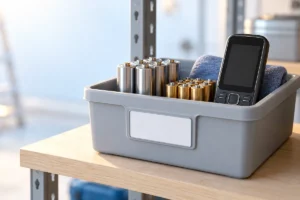
Give stored devices room rather than burying them under heavy objects. That makes changes in their shape easier to notice and reduces pressure on screens and battery compartments. If you use a box, label it and place it where you can inspect its contents. Storage should make problems easier to spot, not hide them for years.
Prevent Short Circuits and Leaks
A battery can short-circuit if its contacts touch metal or another battery in the wrong way. Do not carry loose batteries alongside keys, coins, or tools, and do not store them in an uncovered pile. This matters especially for 9-volt batteries, whose two terminals sit close together, and for loose lithium batteries. Use original packaging or a case that keeps each battery separate.
When preparing used batteries for recycling, follow your local collection program’s instructions. Some programs ask you to cover exposed terminals with nonconductive tape, particularly on lithium and 9-volt batteries. Keep different battery types separate if the program requests it.
Remove replaceable batteries from a device you will not use for a long time. This reduces the chance that a leaking battery will damage the device. If you discover a leaking battery, avoid touching the residue with bare hands. Keep children and pets away, follow the maker’s cleanup advice, and check local rules for disposal. Do not reuse a battery that has leaked.
Prepare Old Devices Before Putting Them Away
Before storing a retired phone or laptop, decide whether you intend to use it again, pass it on, or recycle it. Back up any files you want to keep. If the device is leaving your care, sign out of accounts, remove any memory or SIM cards you need, and use the device’s proper reset or data-erasure process. Do this while it still turns on.
For storage, switch the device fully off rather than leaving it in sleep mode. Disconnect chargers and accessories. Remove a battery only if it is designed to be user-removable; do not pry open a sealed device just to store it. If a laptop will be kept as a spare, our guide to making a laptop battery last longer covers habits for when you start using it again.
Put the device somewhere you can check it periodically. Record what is in the box and why you kept it. If you know you will never use it, recycling it sooner is often better than leaving it forgotten until its battery has deteriorated.
Recognize Damage and Recycle Safely
Check stored devices for a bulging screen or case, an unusual smell, leaking fluid, or unexpected heat. A swollen battery is not safe to charge or keep using. Do not puncture it, press it flat, or try to remove it from a sealed device. Stop using the item and ask your local battery recycling program or waste authority how to handle it.
Do not put lithium-ion batteries or devices containing them into a general household recycling bin. Collection rules vary by location, and damaged batteries may need a different route from undamaged ones. Keep a damaged item away from flammable materials while you arrange appropriate help. If it is smoking or on fire, move away and call your local emergency services.
Power banks also contain rechargeable batteries, even though they may look like simple accessories. Our guide to portable power banks and their specifications explains what they contain and how their capacity is described. Whether you are recycling a power bank or an old phone, ask the collection point what it accepts before you bring it in.
A Simple Storage Check You Can Repeat
You do not need a complicated system. Set aside a little time every few months to inspect what you have stored. Keep the routine short enough that you will actually do it.
- Sort: Keep spare batteries in protective packaging or separate compartments, away from loose metal objects.
- Check charge: Look at stored lithium-ion devices and top them up if they have become very low, provided they show no signs of damage.
- Inspect: Look for swelling, leaks, corrosion, unusual smells, or changes in the device’s shape.
- Review: Decide whether each old device still has a purpose. Back up and erase anything you plan to pass on or recycle.
- Recycle: Check local instructions for battery types, covered terminals, and damaged items before visiting a collection point.
If a device or battery looks unsafe, do not put it back in the box for the next check. Stop using it and find out how your local program wants it handled. For everything else, a labeled box in a cool, dry place and a regular inspection are usually enough.
Frequently Asked Questions
Should I store an old phone at 100% charge?
For long-term storage, roughly half a charge is a better target than a full or empty battery. Switch the phone off and check its charge every few months.
Can I keep loose batteries together in a drawer?
Keep them in their packaging or a case that separates their contacts, rather than loose beside coins or keys. Store different battery types separately.
What should I do if a device battery looks swollen?
Stop using or charging the device, and do not puncture or press the battery. Contact your local battery recycling program or waste authority for handling instructions.
Can old power banks go in household recycling?
Do not put power banks in a general household recycling bin. Check your local battery or electronics collection rules, especially if the power bank is damaged.
Final Thoughts
Store batteries so their contacts cannot touch metal, keep devices in a cool, dry place, and check them from time to time. If something leaks, swells, or heats up unexpectedly, stop using it and follow local disposal guidance. The safest storage plan is one you can maintain—and one that does not leave unwanted devices sitting forgotten.