A phone case and screen protector can reduce damage from everyday drops, but neither makes a phone unbreakable. We researched what these accessories can realistically do, where they fall short, and which add-ons are worth avoiding.
Start With the Risks You Actually Face
Most people want protection from a short fall onto a hard floor, scratches from daily use, and wear around the phone’s edges. A case can help absorb or spread some of the force of a drop. A screen protector adds a replaceable layer over the display. Neither can promise that a phone will survive a particular impact.
Where the phone lands matters. A fall onto a corner may be harder on the device than a flat landing, and a small stone under the screen can concentrate force in one spot. Water, dust, and heat bring different risks that an ordinary case does not solve.
Before choosing accessories, consider how you use your phone. If it often slips from your hands, prioritize grip and edge coverage. If it shares a bag with keys or other hard objects, a screen protector may be more useful. If you are still choosing a device, our guide to choosing a budget smartphone can help you weigh features before spending extra on accessories.
The sensible goal is to lower risk, not to make a phone damage-proof.
Tempered Glass: Useful, but Not Magic
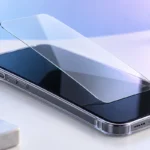
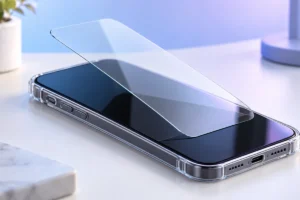
A tempered-glass protector is a thin, replaceable sheet that sits on top of a phone’s screen. It can take scratches that would otherwise reach the display, and it may crack during a drop instead of the screen beneath it. A cracked protector does not prove it saved the display, though. It only shows that the protector was damaged.
Fit matters more than dramatic claims on the package. The protector should match the phone model, sit flat, and leave enough room for a case around its edges. A protector that lifts when you put the case on may collect dust or peel away. Dust trapped during installation can also leave visible bubbles.
Some phones have curved display edges or fingerprint readers under the screen. A glass protector may cover less of the display on a curved phone, and some products can affect fingerprint recognition. Check compatibility and follow the phone maker’s advice about setting up the fingerprint reader after installation.
Choose glass if you want a familiar screen feel and a replaceable surface for everyday wear. Do not expect it to prevent every crack, especially after a hard corner impact.
When Film or a Privacy Protector Makes Sense
Plastic film is thinner and more flexible than tempered glass. It can help with light scratches and may fit curved screens more easily, but it offers less help against a direct impact. Some films feel different under a finger and can show marks sooner. If your main concern is scuffs rather than drops, that trade-off may be acceptable.
Privacy protectors narrow the viewing angle so people beside you have a harder time reading the screen. That feature can be helpful on a crowded train or in a shared workspace. The cost is usually a darker display or a less clear view from the side. You may turn up screen brightness to compensate, which can use more battery.
A matte protector can reduce distracting reflections, but it may make fine text and photos look less crisp. No finish is best for everyone. Think about the problem you want to solve: scratches, nearby viewers, or glare.
Whatever type you choose, replace it if edges lift badly or a crack leaves sharp pieces. A protector should make the phone more comfortable to use, not introduce a new annoyance.
Which Case Types Offer Useful Protection?
A good everyday case covers the corners, fits snugly, and has a raised edge around the screen and camera area. Those raised edges can keep glass from touching a flat surface when the phone is face down. They are less helpful if the phone lands on an uneven object.
Thin cases add grip and protect against light scuffs, but they generally leave less material to manage a hard drop. Thicker cases with flexible edges may offer more cushioning, although they add bulk. Wallet-style cases can cover the screen while closed, but they will not help much if the cover swings open during a fall.
Pay attention to how a case feels in your hand. A slippery, oversized case may make you more likely to drop the phone. Buttons should remain easy to press, and the case should not push against an installed screen protector.
Materials and color affect daily comfort too. A dark case left in direct sun can become unpleasantly hot. A case is not a cooling device, so follow the broader advice in our guide to protecting gadgets from summer heat.
Check the Fit Around Ports, Cameras, and Charging
Even a sturdy case is a poor choice if it blocks the parts of the phone you use. Check that the charging cable plugs in fully, the speakers are not covered, and camera cutouts do not appear in photos or interfere with flash. If you use a strap, check that its attachment point is secure without blocking the port.
Wireless charging and magnetic accessories need a little attention. A thick case or metal plate can interfere with wireless charging, while a poorly placed magnetic ring may not align well with the charger. Look for compatibility with your particular phone and charging setup rather than relying on a broad “works with all phones” claim.
A case opening that is too narrow can also put strain on a cable connector if you force it into place. Remove the case to check the fit rather than pushing harder. Our guide to USB-C cables, chargers, and speeds explains why using a suitable cable matters as well.
Finally, clean the phone and the inside of the case occasionally. Grit caught between them can rub against the phone over time.
Add-Ons That May Hurt More Than Help
Not every protective-looking accessory improves protection. Stick-on camera covers can add a raised part that catches on pockets or stops a phone from lying flat. Covers that slide over lenses can collect dust, interfere with the flash, or leave marks if grit gets underneath. If you want camera protection, start with a well-fitting case that has a raised camera edge.
Adhesive metal plates used with some mounts can interfere with wireless charging when placed over the charging area. Decorative charms and bulky attachments may catch on other objects or pull at a weak attachment point. A grip accessory can help some people hold a phone securely, but it should not make the phone awkward to pocket or charge.
Be cautious with products that claim a phone is “drop-proof” or “waterproof” after an accessory is fitted. Those words hide important limits. A case can reduce risk without removing it, and an ordinary case does not replace the phone’s own water-resistance features.
The best add-on solves a problem you actually have. If it creates a loose fit, blocks a feature, or makes the phone harder to hold, leave it off.
A Practical Protection Checklist
For most people, a comfortable case and a properly fitted screen protector are a reasonable starting point. You can use this quick comparison to decide whether you need both:
- Frequent drops: Choose a snug case with corner coverage, raised edges, and enough grip to hold confidently.
- Screen scratches: Add a well-fitting glass or film protector, especially if the phone often goes into a bag with hard objects.
- Curved screen: Check protector fit carefully; flexible film may cover areas that rigid glass does not.
- Privacy in public: Consider a privacy protector only if you accept a dimmer view.
- Wireless charging: Check the case and any attached plates or rings with your charger before relying on them.
Once fitted, check that the case does not lift the protector and that the charging cable seats properly. Try the buttons, camera, fingerprint reader, and wireless charger if you use one.
When packing a phone for a trip, a separate pocket can keep it away from hard accessories. Our travel tech packing list offers more ideas for keeping everyday gear organized. Good habits support protective accessories; they do not replace them.
Frequently Asked Questions
Does a cracked screen protector mean it saved my phone?
Not necessarily. It shows the protector cracked, but you cannot know whether the screen would have cracked without it.
Is a thick case always better than a thin one?
No. Corner coverage, a secure fit, and grip matter too; a bulky case that slips from your hand may be a poor choice.
Do I need both a case and a screen protector?
They protect different areas, so using both can make sense if you worry about drops and screen scratches. Neither guarantees protection from damage.
Can a case affect wireless charging?
Yes. A thick case or a metal attachment can interfere with charging, so check compatibility with your phone and charger.
Final Thoughts
Choose accessories for the risks you face, not for the biggest promises on a package. A grippy, well-fitting case and an optional screen protector can reduce everyday damage, while careful handling and regular cleaning still matter.