Starting a smart home can feel confusing, with hundreds of gadgets all promising to make life easier. The good news is that you only need a few well-chosen devices to get real everyday value. Here are the five smart home devices worth buying first, what each one does, and how they work together.
Before You Buy: Pick One Ecosystem
The most important decision is not which gadget to buy. It is which system will control everything. Most homes end up built around one of three main platforms: Amazon Alexa, Google Home, or Apple Home.
Each platform has its own app and voice assistant. Devices that work well with your chosen platform will be easy to set up and control from one place. Devices that do not can leave you juggling several apps.
A simple rule: if you use an iPhone and want strong privacy controls, Apple Home is a natural fit. If you use Android or already rely on Google services, Google Home makes sense. Alexa offers a very wide range of compatible devices and is often the easiest place to start.
Also look for the Matter logo on the box. Matter is a shared standard supported by all the major platforms. It means a device should work with more than one system, which protects you if you switch later.
1. Smart Speaker: The Control Center
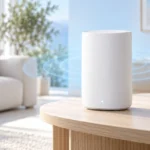
A smart speaker is usually the best first purchase. It gives you voice control over every other device you add, so you can say “turn off the lights” instead of reaching for your phone.
Beyond controlling gadgets, a speaker handles everyday tasks well. It can set timers, play music, read the weather, and answer quick questions. For many people, these small conveniences are what make a smart home feel worth it.
Some speakers also act as a hub. That means they can talk directly to devices using low-power wireless standards such as Thread or Zigbee. This can make your setup faster and more reliable, especially as you add more devices.
You do not need the biggest model. A small, entry-level speaker is enough for voice control in one room. If you care about music, a larger speaker with better sound is a worthwhile upgrade. If you want to see camera feeds or recipes, consider a smart display, which is a speaker with a screen.
2. Smart Bulbs: The Easiest Upgrade
Smart bulbs are the simplest way to see what a smart home can do. You screw them into an existing lamp or fixture, connect them in an app, and you are done. No wiring is needed.
Once installed, you can turn lights on and off by voice, dim them, or set schedules. Many people set lights to turn on at sunset or slowly brighten in the morning as a gentle wake-up.
There are two main types to know about:
- White bulbs let you change brightness, and sometimes switch between warm and cool white. They are cheaper and fine for most rooms.
- Color bulbs can show millions of colors. They are fun for living rooms and bedrooms but cost more.
One thing to remember: a smart bulb needs power at all times to stay connected. If someone flips the wall switch off, voice control stops working. Putting a small note or cover on the switch can help the whole household.
3. Smart Plugs: Make Ordinary Devices Smart
A smart plug sits between a wall outlet and any device you plug into it. It lets you turn that device on and off from your phone, by voice, or on a schedule.
This is an affordable way to add smart control to things you already own. Common uses include:
- Floor lamps and string lights
- Fans and small heaters with simple on/off switches
- Coffee makers that start when the plug turns on
- Holiday decorations on a timer
Some smart plugs also measure energy use. This can show you which devices use power even when they seem to be off, which may help you cut waste.
A word of caution: a smart plug only switches power. It cannot press buttons. So a device that needs a button press after power returns will not fully turn on. Also check the plug’s rated load before using it with high-power appliances like heaters, and follow the maker’s safety guidance.
4. Indoor or Outdoor Camera: Peace of Mind
A security camera lets you check on your home from anywhere. Indoor cameras are popular for watching pets or keeping an eye on the house while you travel. Outdoor cameras cover driveways, backyards, and side entrances.
Most cameras send an alert to your phone when they detect motion. Better models can tell the difference between people, animals, vehicles, and packages, which cuts down on pointless notifications.
Pay close attention to how video is stored. Some cameras save clips on a local memory card or base station. Others store video in the cloud, which often requires a monthly subscription. Read the subscription details before buying so there are no surprises.
Privacy matters too. Look for features like two-factor login, a physical privacy shutter, or a mode that turns indoor cameras off when you are home. Always use a strong, unique password for your camera account.
5. Video Doorbell: Know Who Is at the Door
A video doorbell replaces your standard doorbell with a camera, microphone, and speaker. When someone presses the button, you get an alert on your phone and can see and talk to them, even if you are not home.
This is useful for checking deliveries, speaking with visitors, and deciding whether to open the door to a stranger. Many doorbells also record motion near your entrance, so you can see when packages arrive.
There are two power options:
- Wired doorbells connect to your existing doorbell wiring. They never need charging and often respond faster.
- Battery doorbells are easier to install and good for renters, but you will need to recharge them every few weeks or months, depending on use.
As with cameras, check whether video history requires a subscription. If you rent, ask your landlord before installing anything on the door frame.
How These Five Devices Work Together
Each device is useful alone, but the real value comes when they connect. Most platforms let you create “routines” or “automations.” These are simple rules that make several devices act at once.
Here are a few examples that work with many popular setups:
- Good morning: Say a phrase to your speaker, and the bulbs brighten, the coffee maker plug turns on, and you hear the weather.
- Leaving home: One command turns off all lights and plugs and switches your camera to away mode.
- Someone at the door: When the doorbell rings, your smart display shows the live video and a hallway light turns on.
- Evening: Lights turn on automatically at sunset, so you never come home to a dark house.
The exact options depend on your platform and brands. This is another reason why choosing one ecosystem early makes everything smoother.
Practical Tips and Quick Comparison
Here is a simple comparison to help you decide what to buy first:
- Smart speaker: Very easy setup. Best for voice control and acting as a hub. Typically no ongoing fees.
- Smart bulbs: Very easy setup. Best for lighting schedules and mood. No ongoing fees.
- Smart plugs: Very easy setup. Best for making existing devices smart. No ongoing fees.
- Camera: Easy to moderate setup. Best for home monitoring. May need a subscription for cloud video.
- Video doorbell: Moderate setup, especially wired models. Best for front-door awareness. May need a subscription.
A few habits will save you headaches:
- Start with one or two devices and add more once you are comfortable.
- Give devices clear names like “Bedroom Lamp” so voice commands are easy.
- Make sure your Wi-Fi reaches every spot where you plan to place a device.
- Keep apps and device firmware updated for security fixes.
- Check the total cost of any subscriptions, not just the device price.
Frequently Asked Questions
Do I need a separate hub to get started?
Usually not. Many devices connect directly over Wi-Fi, and several smart speakers include built-in hub features. A separate hub only becomes useful if you add many devices that use Zigbee or similar standards.
Will my smart home stop working if the internet goes down?
Some features will. Voice assistants and cloud video usually need the internet. However, many devices still work with physical switches, and some Matter and local-control devices keep working on your home network.
Can I mix brands?
Yes, as long as each device works with your chosen platform. Look for “Works with Alexa,” “Works with Google Home,” “Works with Apple Home,” or the Matter logo on the packaging.
Are smart cameras and doorbells safe for my privacy?
They can be, if you take care. Choose brands with a clear privacy policy, turn on two-factor login, use a strong password, and avoid pointing cameras at neighbors’ property or private areas.
Conclusion
A smart home does not have to be complicated or expensive. Start by choosing one ecosystem, then add a smart speaker, a few bulbs, and a couple of smart plugs. When you are ready, a camera and video doorbell bring extra peace of mind.
Based on what we researched, these five devices cover the needs of most households. Take it one step at a time, and your home will become more convenient without the stress.