Summer is great for trips, beach days and long hours outside, but it is hard on the gadgets we carry. Heat can slow down your phone, shorten your battery’s life and, in rare cases, make a power bank unsafe. Here is why it happens and the simple habits that help.
Why Heat Is So Hard on Electronics
Almost every phone, laptop, earbud case and power bank runs on a lithium-ion battery. These batteries work by moving charged particles through a chemical mix inside the cell. Heat speeds up those chemical reactions, including the unwanted ones that slowly wear the battery down.
In simple terms, a battery that spends a lot of time hot ages faster. It holds less charge over the months, and that lost capacity does not come back when things cool down.
The chips inside your devices also make their own heat. When the air around them is already hot, they have nowhere to send that heat. To protect themselves, they slow down. That is why a phone can feel sluggish on a hot afternoon.
Most major phone makers suggest using their devices in surroundings of roughly 0 to 35°C (32 to 95°F). A sunny summer day, a parked car or a beach towel in direct sun can go well beyond that range very quickly.
What Happens to Your Phone in the Heat
Phones are built to protect themselves. When they get too hot, you may notice a few things happen one after another.
- The screen dims, even with brightness turned all the way up.
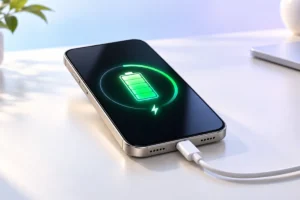
- Charging slows down or stops completely.
- Apps, games and the camera feel slower.
- The camera flash may be turned off.
- Finally, a temperature warning appears and the phone limits use until it cools.
These steps are normal safety features, not a sign that your phone is broken. The real damage is slower and harder to see: repeated overheating wears down the battery over time.
Some summer habits make heat worse. Using GPS navigation while charging on a dashboard mount in full sun is one of the toughest loads you can put on a phone. Recording long videos outdoors or playing games while charging also adds a lot of heat at once.
Why Laptops Struggle Outdoors
Laptops have bigger processors than phones and often rely on small fans and air vents to stay cool. Those fans can only push out heat if the air coming in is cooler than the parts inside. On a hot day, that gap shrinks.
When a laptop cannot cool itself well, it reduces its speed. This is called thermal throttling. You may notice video calls stuttering, exports taking longer or the fans running loudly all the time.
Where you put the laptop matters a lot. Soft surfaces like beds, cushions, towels and your lap can block the vents underneath. Sand is even worse, because fine grains can get pulled inside.
Direct sunlight on a dark laptop lid can heat the case far beyond the air temperature. If you must work outside, a shaded table with a hard, flat surface is a much better choice than a sunny bench or blanket.
Power Banks: The Gadget to Watch Most Closely
Power banks are basically boxes of battery cells with a small circuit board. They usually lack the advanced heat management found in phones and laptops, especially cheaper models with little safety information.
Heat stresses those cells, and charging or discharging adds even more heat. If a power bank is left in a hot car or bag and then used to charge a phone, both devices can end up very warm.
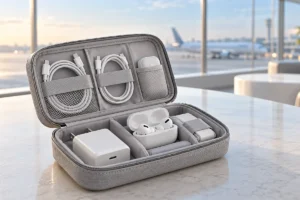
The biggest risk is a damaged or swollen battery. In rare cases, an overheated lithium-ion cell can fail in a dangerous way, with smoke or fire. This is uncommon, but it is the reason airlines have strict rules about carrying power banks.
Based on what we researched from safety agencies and manufacturer guides, a few points stand out. Choose power banks from known brands with clear safety markings. Do not charge them under pillows or in direct sun. Stop using any power bank that looks puffy, smells odd or gets unusually hot.
The Car: Summer’s Worst Place for Gadgets
A parked car in summer can get much hotter than the air outside. Sunlight comes through the windows, heats the seats and dashboard, and the closed space traps that heat. The inside temperature can rise well above safe levels for electronics within a short time.
The dashboard and the area right under the windshield are the hottest spots. A phone, tablet, camera or power bank left there can quickly pass its safe temperature range.
The glove box and trunk are a little better, but they still get hot. The safest plan is simple: take your gadgets with you when you leave the car.
While driving, keep your phone mount out of direct sunlight if you can. Air vent mounts are popular in summer for a good reason, because cool air from the air conditioner flows right over the phone. Avoid long fast charging sessions on a sun-facing dashboard.
Warning Signs Your Gadget Is Too Hot
Most devices give clear hints before heat becomes a real problem. Learning these signs can save you a battery, or something worse.
- Too hot to hold comfortably: if it is uncomfortable in your hand, it is time to stop and cool it down.
- On-screen temperature alerts: follow them. Do not try to force the device to keep working.
- Charging pauses: many phones stop charging when hot to protect the battery.
- Loud fans or sudden slowdowns: common on laptops that are struggling with heat.
- Swelling or a bent case: a lifted back panel, a raised screen or a bulging power bank can mean a swollen battery.
- Strange smells or hissing: stop using the device right away.
If you see swelling, smell something odd or notice smoke, unplug the device if it is safe to do so, move it away from anything flammable, and do not press on it or try to puncture it. Contact the manufacturer or an authorized repair shop for advice on safe disposal.
Simple Habits to Keep Your Gadgets Cool and Safe
You do not need special gear to protect your devices in summer. A few everyday habits do most of the work.
- Stay in the shade: keep phones, laptops and power banks out of direct sun, even for a few minutes.
- Use a light-colored bag: keep gadgets inside your bag, not on top of it, and choose lighter colors when you can.
- Remove thick cases while charging: some cases trap heat, especially when fast charging.
- Charge in a cool spot: indoors or in the shade is best. Avoid charging on beds or under pillows.
- Skip heavy tasks in the heat: gaming, long 4K video recording and navigation while charging all add extra heat.
- Turn on low power mode: it reduces background work and helps the phone run cooler.
- Give laptops a hard surface: a table or a simple laptop stand helps air flow under the vents.
- Never leave gadgets in the car: take them with you, every time.
- Cool down slowly: move a hot device to a shaded, room temperature spot and let it rest.
One more tip: do not put a hot phone in the fridge or freezer. Sudden cold can cause moisture to form inside the device, which can damage the parts you were trying to protect.
Frequently Asked Questions
Is it safe to use my phone at the beach?
Yes, with care. Keep it in the shade, under a towel or inside a bag when you are not using it. Avoid leaving it face up in direct sun, and keep sand away from ports and speakers.
Can heat permanently damage my battery?
Yes. Repeated or long exposure to high temperatures can permanently reduce how much charge a battery can hold. Your device may still work, but the battery will run out sooner than it used to.
Should I put my overheated phone in front of a fan or air conditioner?
Gentle airflow at room temperature is fine and can help. Avoid extreme cold, such as a freezer or ice packs, because sudden temperature changes can cause condensation inside the device.
Is a swollen power bank still safe to use?
No. A swollen power bank should not be used or charged again. Keep it away from heat and flammable items, and take it to a proper battery recycling or e-waste drop-off point.
Conclusion
Heat is one of the biggest hidden threats to phones, laptops and power banks. It slows them down, wears out their batteries and, in rare cases, creates safety risks.
The good news is that simple habits go a long way. Keep your gadgets in the shade, never leave them in a hot car, charge in cool places and pay attention to warning signs. Your devices will last longer and stay safer all summer.