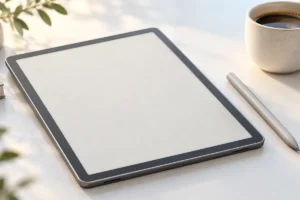
E-ink tablets promise a calmer way to take notes, while iPads offer far more than a digital notebook. The better choice depends on how you write, what you need to do with your notes, and which limits you can live with. We researched the practical differences to help you decide.
How Writing Feels on Each Screen
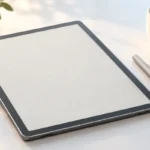
Many e-ink note tablets use a textured screen and a pen tip designed to create some resistance. That can feel closer to writing on paper than drawing on a smooth glass screen. It is useful if you write long meeting notes, fill notebooks with ideas, or sketch simple diagrams.
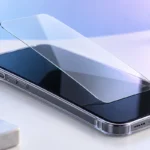
An iPad can also be an excellent writing surface, especially with a compatible stylus and a good note app. Its glass may feel slippery at first, though some people get used to it quickly. Screen protectors can add texture, but they may change how the display looks and how the pen tip wears.
Neither type feels exactly like a paper notebook. Pen shape, screen coating, software, and writing delay all vary by model. If handwriting comfort is your top priority, try writing a full page on the devices you are considering, if possible. A quick signature in a shop will not tell you much about how a tablet feels after an hour of notes.
Eye Comfort: A Real Difference, With Limits
E-ink screens reflect light rather than shining it toward you like a typical tablet display. In good daylight, they can look much like a printed page. Many models also have an optional front light for dim rooms. If you spend hours reading and writing, that quieter display may be more comfortable for you.
An iPad has a bright, colorful screen that works well in many lighting conditions. You can lower its brightness and adjust its color settings, but it will still look and behave differently from e-ink. Eye comfort is personal: room lighting, screen brightness, breaks, and your eyesight matter too. An e-ink tablet is not a medical fix for eye strain.
The trade-off becomes clear when you open charts, photos, or color-coded notes. Most e-ink note tablets show these less vividly than an iPad, and some show only shades of gray. If color helps you study or organize ideas, a conventional tablet may be easier to use despite its brighter screen.
Focus Versus Flexibility
E-ink note tablets tend to do fewer things. That can be their strongest feature. With fewer alerts, apps, and entertainment options in reach, it may be easier to stay with a lecture, meeting, or writing session. You still need good habits, but the device offers fewer invitations to switch tasks.
An iPad is more flexible. You can take handwritten notes, search the web, join a video call, type an email, and open a document on one device. That is valuable if your notes are only one part of your work. It also means notifications and tempting apps can interrupt you unless you set them aside.
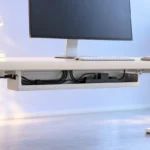
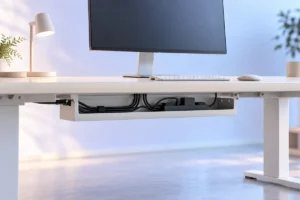
Think about where you will use the tablet. A dedicated writing device can fit well into a quiet desk setup; our guide to setting up a home office on a small budget covers the wider workspace. If you move between research, calls, and handwritten notes throughout the day, an iPad may save you from carrying or reaching for another screen.
Note Apps and Everyday Tasks
Before choosing a device, list what “taking notes” actually involves for you. Do you write on blank pages, mark up PDFs, record audio, search old handwriting, or work with classmates? Those tasks place different demands on a tablet.
E-ink models often handle notebooks and document annotation well, but their software varies widely. Some have handwriting search or text conversion; others have limited app choices or simpler organization. Features may also depend on an account or a subscription. Check the exact model’s current features rather than assuming every e-ink tablet works the same way.
An iPad gives you a much broader selection of note apps and tools. It is usually the easier choice when notes must sit beside presentations, spreadsheets, web pages, or video calls. That flexibility can come with more settings and decisions about which app to use. If you mainly want a place to write and reread pages, extra features may add complexity without helping your notes.
Battery Life and Charging Habits
E-ink uses little power while a page stays on screen, so many e-ink note tablets can go substantially longer between charges than a full tablet. Actual battery life depends on how often you write, refresh pages, use a front light, or connect to Wi-Fi. Do not treat a maker’s best-case figure as a promise for your routine.
An iPad needs more frequent charging because its display and wider range of apps use more power. For someone who already charges a phone and laptop each night, that may be a small inconvenience. For travel, fieldwork, or long days away from a socket, fewer charging stops can be a meaningful advantage.
Think about charging as a habit rather than a contest over advertised battery figures. Our laptop battery care guide explains related habits, such as managing heat and unnecessary power use. Whichever tablet you choose, check its charging connector and make sure its cable fits the equipment you already carry.
Getting Notes Off the Device
A notebook is most useful when you can find and share what you wrote. Before settling on an e-ink tablet, look closely at its export options. Can you send a notebook as a PDF? Will handwriting remain editable on another device, or become a flat image? Can you back up your notes without relying on one company’s cloud service?
An iPad usually offers more ways to move files through apps and cloud services. That does not mean every note app uses the same file format or makes switching easy. Try exporting a sample notebook before you build years of notes in any one app.
If you expect to move documents by cable, check what the tablet and your computer actually support. A familiar connector does not guarantee the same file-transfer behavior on every device; our plain-English USB-C guide explains why cables and ports differ. For important notes, keep a second copy somewhere you can access independently of the tablet.
Portability, Durability, and Overall Value
Many e-ink note tablets are thin and light, making them pleasant to hold through a long reading session. An iPad can also travel easily, but a case, stylus, and optional keyboard add bulk. Compare the complete setup you would carry, not just the tablet on its own.
Both types need protection. A large screen can be damaged in a crowded bag, and a lost stylus can interrupt your work. If you travel often, think about how the tablet, charger, and accessories fit with the rest of your gear. Our travel tech packing list offers a useful way to review what you really need to bring.
Value is not simply the lowest tablet cost. Check whether the pen and case are included, whether useful features require ongoing payments, and how long software support is expected to last. An e-ink device can be worthwhile if it improves your main daily task. If you also need entertainment, calls, creative apps, and general computing, an iPad may do more jobs with one purchase.
A Practical Way to Choose
Start with a normal week, not an idealized one. Write down where you take notes, what you attach to them, and how you use them afterward. Then compare the devices against those real tasks:
- Choose an e-ink note tablet if most of your time goes to handwriting, reading, and marking up documents, and you value a paper-like screen and fewer distractions.
- Choose an iPad if you need color, a wide choice of apps, video calls, web research, or several tasks open during a study or work session.
- Keep using paper or a device you own if your notes are brief and your current method already makes them easy to find and use.
If you can, test the same routine on each option: write a page, annotate a document, find an old note, and export it. Pay attention to anything that slows you down. The best note-taking tablet is not the one with the longest feature list. It is the one that lets you capture ideas and get them back when you need them.
Frequently Asked Questions
Is an e-ink tablet better than an iPad for handwritten notes?
It may be better if you want a paper-like feel and a device focused on writing. An iPad is more useful if your notes depend on color, varied apps, or other work alongside them.
Can an e-ink tablet replace an iPad?
Usually not for people who rely on video, creative apps, web browsing, or video calls. It can replace an iPad used mainly for notebooks and reading, depending on the model’s features.
Are e-ink screens easier on the eyes?
Many people find reflected-light e-ink screens comfortable for long reading sessions, but eye comfort varies. Good room lighting and regular breaks still matter.
What should I check before choosing a note-taking tablet?
Check the writing feel, note organization, export and backup options, stylus availability, and any ongoing fees. Make sure the device handles your usual documents and workflow.
Final Thoughts
E-ink tablets are appealing when writing and reading are the main event. iPads make more sense when notes are part of a wider mix of tasks. Choose based on how you will find, share, and use your notes—not just how satisfying the first pen stroke feels.