A smart display can show a recipe, handle a video call, and keep several kitchen timers in view. It can also sit on a counter showing little more than the time. The difference depends less on the screen itself than on your habits, your other devices, and how comfortable you are with its privacy trade-offs.
What Does a Smart Display Add?
A smart display is roughly a smart speaker with a screen. You can ask it questions, set reminders, play audio, and control compatible home devices by voice. The screen adds information you can check at a glance, such as a timer countdown, weather forecast, calendar event, or live view from a compatible camera.
That sounds useful, but your phone already does most of it. The display earns its place when you want information visible without picking up your phone, unlocking it, and opening an app. This matters most in shared spaces such as a kitchen or living room, where several people might use the same device.
Compatibility matters more than a long feature list. A display may work well with some lights, cameras, and doorbells but not others. If you are building a connected home, start with the devices you would actually use; our smart home starter guide can help you keep that list practical. A screen is not essential to every setup.
Recipes and Timers: The Strongest Everyday Case
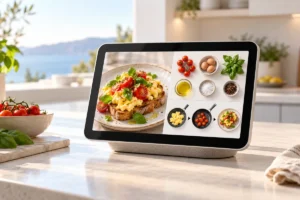
The kitchen is where a smart display makes the clearest argument for itself. A recipe can stay on screen while your hands are messy, and voice commands can help you move between steps. You can also name separate timers for the oven, rice, and vegetables instead of trying to remember which alarm is which.
There are limits. Recipe sources and voice controls vary by device, and a display may not show the exact page you usually cook from. A long ingredient list can be awkward on a small screen. If you already use a tablet on a stand, the display may add little beyond hands-free commands.
Think about your cooking habits rather than the appealing picture of a tidy kitchen. Someone who follows recipes several nights a week may appreciate a screen that stays put. Someone who mostly makes familiar meals may use it for timers and music, then ignore the display. Both are reasonable outcomes.
Video Calls and Shared Spaces
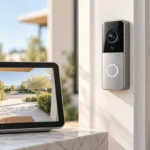
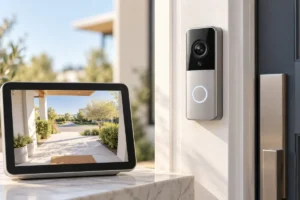
A smart display can make casual video calls easy: start a call by voice, set the device on a shelf, and keep your hands free. It can be handy for a family member who finds a phone screen too small or dislikes holding a device through a long conversation. Some models can also show compatible doorbell or camera feeds.
Check the calling service before treating this as a main reason to get one. Support for apps and contacts differs between platforms, and the people you call may use a service your chosen display does not support. Screen size, camera placement, and speaker quality also affect how comfortable a call feels.
For work meetings, a laptop is usually more flexible: it gives you access to documents, chat, and a wider range of meeting tools. If that is your main use, a sensible home office setup on a small budget may help more than another screen. A smart display fits better as a shared, casual calling device than as a replacement for your computer.
The Privacy Trade-Off Is Real
A device designed to respond to a wake word needs its microphones ready to listen for that word. A model with a camera adds another concern, especially in a bedroom or another private space. That does not mean every conversation is being recorded, but it does mean you should understand what the device can collect and what controls you have.
Look for a physical microphone mute control and, if there is a camera, a physical shutter or a camera-free model. Review settings for voice history, video calling, personalized results, and what appears on screen when other people are nearby. A calendar preview that helps you may reveal more than you want visitors to see.
Placement is a privacy choice too. A kitchen counter may suit shared timers; a bedside table may feel too intrusive. If you dislike the idea of an always-available microphone in a room, do not talk yourself into accepting it for a feature you might rarely use. A phone, tablet, or ordinary clock remains a valid alternative.
Who Actually Uses One Every Day?
Daily use is most likely when the display has a fixed job. In a busy kitchen, that might be recipes and timers. In a shared living space, it might show a calendar, control lights, or let someone answer a compatible video doorbell. For a person who regularly calls family, a screen that is always in the same place can remove a little friction.
It is less compelling if you live alone, rarely cook from recipes, have no connected home devices, and already keep your phone close. Weather, music controls, and a clock face are pleasant, but they may not justify another device to power, update, and make room for.
Your phone is the fairest comparison. If it already handles your reminders and calls without bothering you, a display needs to solve a specific inconvenience. If you are deciding where to put a limited gadget budget, our guide to choosing a budget smartphone may be more relevant. The best reason to add a smart display is repeated use, not the hope that owning one will create a new routine.
What to Check Before Choosing a Model
Start with the ecosystem you already use. Check whether the display supports your preferred calendar, music service, calling method, and any lights, plugs, cameras, or doorbells you own. Do not assume that sharing a general label such as “smart home device” means two products will work together in every way.
Then consider where it will sit. A small screen may be enough for timers and basic controls; recipes and video calls benefit from a screen you can read comfortably from your usual position. Check whether it needs a permanent outlet nearby, whether its camera can be covered, and how easily you can mute its microphones.
Finally, consider your home network. Calls and camera feeds depend on a reliable connection, although buying a smart display alone is rarely a reason to replace a working router. If your connection is already troublesome, our explanation of whether you need a Wi-Fi upgrade can help you think through the issue. We researched the common uses and trade-offs here, but features can change, so confirm current support before deciding.
A Quick Way to Decide
Before choosing any device, write down the tasks you expect it to handle in a normal week. Be specific: “show three recipes,” “run timers while cooking,” or “call my parents on Sundays” is more useful than “make my home smarter.” Then ask whether the phone, tablet, speaker, or clock you already own handles those tasks well enough.
- Consider a smart display if you want a fixed, shared screen for recipes, timers, compatible home controls, or regular casual calls.
- Consider a smart speaker if you mainly want voice timers, music, and simple questions, with no need to see the answer.
- Use a tablet or phone if you need flexible apps, your own recipe websites, or calls across several services.
- Keep an ordinary clock if time and alarms are the only features you expect to use.
Also ask everyone who shares the room how they feel about a microphone or camera there. A useful device for one person can be an unwelcome presence for another. If you cannot name a task the screen would improve each week, waiting is a sensible choice.
Frequently Asked Questions
Can a smart display replace a tablet?
Usually not. A tablet supports a wider range of apps and is portable, while a smart display is better suited to fixed, shared tasks.
Do smart displays need Wi-Fi?
They generally need Wi-Fi for voice answers, calls, streaming, and connected home features. Check the specific model for any functions available without a connection.
Are smart displays useful without other smart home devices?
Yes, if you regularly use recipes, timers, calls, or calendars. If you only want the time and occasional music, a simpler device may be enough.
How can I make a smart display more private?
Choose a suitable location, review its data settings, and use its microphone mute and camera shutter when available. If those steps do not address your concerns, skip the device.
Final Thoughts
A smart display is a useful companion when its screen solves a task you face often, especially in a shared kitchen. Without that routine, it can become a clock with extra privacy decisions attached. Choose based on the week you actually live, not the one shown in a product demo.