A smartwatch can help an older person stay connected and notice a possible emergency, but only if it is comfortable and easy to use every day. We researched the features that matter most, from fall detection and heart alerts to readable screens and a setup the wearer can manage.
Start With the Person, Not the Feature List
The best watch is the one its wearer will actually keep on. Ask what they want help with: calling family, seeing messages, tracking activity, or getting help after a fall. A long list of health features means little if the screen is hard to read or the watch spends most days on a charger.
Decide whether a full smartwatch is necessary. Some people only want steps and basic activity reminders. Others need calling, emergency features, and a larger choice of apps. Our guide to fitness trackers versus smartwatches explains that difference before you compare individual models.
Involve the person who will wear it. Let them try the strap, read sample text, and practice pressing the main button. Check that the watch works with their phone, since compatibility can affect setup and available features. Safety works best when the device fits an existing routine rather than creating a new chore.
Fall Detection Can Help, but It Has Limits
Fall detection is one of the most useful smartwatch features for someone at risk of falling. On supported watches, sensors may recognize a hard fall and show an alert. If the wearer does not respond, the watch may be able to contact emergency services or chosen contacts, depending on the model, settings, and connection.
It is not a guarantee. A watch can miss a fall, and a sudden movement can sometimes trigger an alert by mistake. It also needs enough battery power and a working way to communicate. A phone-linked watch may need the paired phone nearby; a cellular model may need an active plan and coverage. Check whether the feature operates in your region and how it shares location.
Set up emergency contacts and the wearer’s medical information where the watch supports them. Then practice what happens when an alert appears, without making a real emergency call. Fall detection should add to a safety plan, not replace regular check-ins, accessible phones, or other help the person already relies on.
Understand What Heart Alerts Really Mean
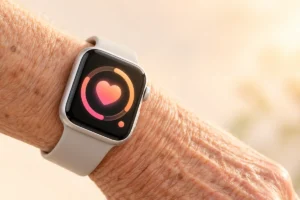
Many smartwatches measure heart rate and can alert the wearer when it appears unusually high or low while they are at rest. Some offer irregular-rhythm notifications or an ECG feature. Availability varies by watch, country, age requirement, and setup, so check the exact feature before choosing a device.
These alerts can prompt a useful conversation with a clinician, but they do not diagnose every heart problem. A normal reading does not prove that everything is fine, and an alert does not always mean there is an emergency. Fit and movement can affect sensor readings. Anyone with symptoms such as chest pain, fainting, or severe shortness of breath should seek appropriate medical help rather than wait for a watch notification.
Ask whether the wearer wants health notifications and will understand what to do with them. Too many alerts may create worry or lead someone to ignore the watch. If a clinician has recommended monitoring, ask which information is useful to share and whether a particular feature is suitable.
Make the Screen and Controls Easy to Use
A bright, readable screen matters more than an impressive display specification. Look for adjustable text size, strong contrast, and notifications that are easy to read at a glance. Check whether important actions require several small taps. A physical button can be helpful when fingers are wet, shaky, or less precise.
Comfort also affects safety. A heavy watch or irritating strap may be left on a table, where it cannot send a fall alert. The strap should fasten securely without being difficult to remove. If possible, have the intended wearer try it for a while and check whether the screen remains readable outdoors and in a dim room.
Keep the watch face simple: time, date, battery level, and perhaps one useful shortcut. Turn off notifications that do not matter. Practice answering a call, opening an alert, and returning to the main screen. Voice controls may help some people, but they should not be the only way to use an essential feature.
Plan for Simple Setup and a Reliable Connection
Most smartwatches need a compatible smartphone for initial setup, updates, and some safety settings. Before choosing one, confirm that it works with the wearer’s phone and current software. If the phone itself is becoming hard to use, our guide to choosing a budget smartphone covers the basics worth checking.
Set up the watch with the wearer present. Add emergency contacts, review permissions, and make sure they understand which button or screen starts an emergency call. Explain the difference between a watch that connects through a nearby phone and one with its own cellular connection. Cellular service may involve an additional plan, and coverage still matters.
Do not assume setup is finished when the watch first turns on. Check that calls and notifications reach the right person, that location settings are appropriate, and that the wearer knows how to charge and restart the device. Write down a few plain-language steps they can keep nearby. Ask before enabling any sharing feature so they know who can see their information.
Battery Life Is a Safety Feature
A watch cannot help during an emergency if its battery is empty. Battery life varies with the model and features in use. Frequent health measurements, a bright always-on screen, GPS, and cellular connections can all increase power use. Compare realistic usage needs, not just the longest advertised battery figure.
Build charging into a routine the wearer can remember, such as charging while reading in the evening. Keep the charger in one easy-to-reach place, and check that the charging connection is simple to align. If the watch is used for sleep tracking, agree on another regular charging time. Battery reminders can help, but someone still needs to notice and act on them.
The paired phone may also be part of the safety chain, so it needs power and a working connection. For practical charging habits, see our guide to keeping a phone battery healthy. Review privacy settings alongside battery settings: share location and health information only with people the wearer chooses, and revisit those choices if their needs change.
A Practical Checklist Before You Choose
Compare a few watches using the wearer’s daily needs rather than a feature count. The most useful questions are simple:
- Can the wearer read the screen, fasten the strap, and use the main controls comfortably?
- Does fall detection work in their region, and what connection does it need to request help?
- Are emergency contacts and health alerts straightforward to set up and understand?
- Will the watch work with their current phone, and is any cellular plan necessary?
- Is there a realistic time and place to charge it every day or every few days?
Check the charger before adding it to a familiar charging spot. Smartwatches often use model-specific charging accessories, even when another end of the cable uses a common connector. Our guide to USB-C cables and chargers can help explain that distinction.
Finally, ask the wearer to demonstrate the basics after setup. If they cannot comfortably answer a call, recognize an alert, or charge the watch, simplify the settings or consider a different device. That short practice session is more valuable than adding another feature they may never use.
Frequently Asked Questions
Will a smartwatch detect every fall?
No. Fall detection can miss falls or trigger by mistake, so it should be one part of a broader safety plan.
Does a senior need a cellular smartwatch?
Not always. A phone-linked watch may be enough if the paired phone is usually nearby, but check exactly how emergency calling works when they are apart.
Can a smartwatch diagnose a heart condition?
No. Heart alerts and readings can provide useful information, but a clinician should assess symptoms and medical concerns.
What should we set up first?
Start with emergency contacts, calling, readable text, and a charging routine. Then add health alerts the wearer understands and wants to use.
Final Thoughts
A good smartwatch for an older person is comfortable, readable, charged, and understood by the person wearing it. Fall detection and heart alerts can be helpful, but neither replaces medical care or a dependable way to check in. Choose the simplest watch that meets the wearer’s needs, then practice using its important features together.