Standing desks promise a healthier workday, but the reality is less dramatic. We researched what the evidence says, how converters compare with full desks, and which setup changes may matter more than standing itself.
What the Research Actually Says
A standing desk can reduce the time you spend sitting at work. That is its clearest benefit. Some people also find that changing position helps them feel less stiff or more alert, although results vary from person to person.
The bigger health claims need more caution. Standing while working is not the same as walking or exercising. Research has not shown that buying a standing desk, by itself, prevents heart disease, causes meaningful weight loss, or fixes back pain. Studies also differ in how long they follow people and whether they measure health outcomes or simply time spent standing.
Think of a standing desk as a tool for changing positions, not a treatment. Its value depends on whether you actually use the height adjustment and remain comfortable in both positions. If the purchase replaces some long, uninterrupted sitting with regular movement, it may be useful. If it only replaces sitting still with standing still, the benefit is much less clear.
Why Standing All Day Is Not the Goal
Standing for hours can leave your feet, legs, and lower back tired. You may also lean on one hip, lock your knees, or bend toward the screen without noticing. A desk that lets you stand does not automatically give you a good working posture.
A more realistic goal is to alternate between sitting and standing, then take short walking breaks when you can. There is no magic standing-to-sitting ratio that suits everyone. Start with brief standing periods and adjust based on comfort rather than trying to hit a strict daily target.
You do not need a new desk to make every improvement. Standing up during a call, walking to get water, or taking a brief break between tasks can interrupt a long sitting spell. If you are arranging a workspace from scratch, our guide to a home office on a small budget covers other basics worth considering before a desk upgrade.
Persistent pain deserves individual advice from a qualified health professional, not a promise from desk marketing.
Desk Converter or Full Standing Desk?
A desk converter sits on top of your current desk and raises part of your work area. It can make sense if you like your existing desk, cannot replace it, or want a less disruptive way to try standing. Check that its platform has room for your keyboard and mouse as well as your screen. Some converters raise the monitor and keyboard together but leave the keyboard at an awkward height.
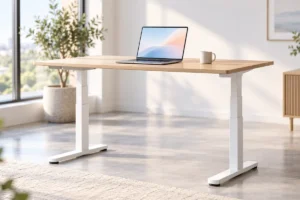
A full height-adjustable desk replaces the whole work surface. It usually offers more usable space and a cleaner layout, especially with multiple monitors. However, you need room for the frame, and your current desk may have to go. Some models also move or wobble more than you might expect when raised.
For either option, measure your room and check the product’s lowest and highest working heights against your needs. Plan where cables will run before anything moves; a cable that reaches comfortably while seated may pull tight when raised. If your setup uses a laptop dock or monitor, our USB-C cable and charger guide can help you understand the connections you already have.
Ergonomics Matter More Than the Desk Label
Whether you sit or stand, aim to keep your shoulders relaxed and your wrists in a comfortable, fairly straight position while typing. Set the keyboard near elbow height, then adjust the screen so you can read it without repeatedly tilting your head. The right measurements depend on your body and equipment, not a picture of a “perfect” setup.
A laptop alone makes this harder because its keyboard and screen are attached. Raising the screen can put the keyboard too high; lowering the keyboard can leave you looking down. An external keyboard and mouse can give you more flexibility. If you are choosing a keyboard for that setup, our mechanical versus membrane keyboard guide explains the basic trade-offs without assuming one type is better for everyone.
Check both desk positions, not just standing height. If the desk does not lower enough for comfortable seated typing, a suitable chair adjustment or keyboard solution may be necessary. If you stand on a hard floor, supportive shoes or a comfortable mat may help, but neither replaces changing position when you feel tired.
What to Check Before Choosing a Desk
Start with the height range. A desk must reach a useful position for you while seated and standing. Published height ranges are more informative than labels such as “ergonomic” or “one size fits all.” If possible, compare those measurements with your current comfortable keyboard height and the standing height you need.
Next, look at stability and capacity. A raised desk may shake when you type, especially with a large monitor or a heavy monitor arm. Check the stated load limit against everything that will sit on the surface, and consider whether reviews describe wobble at taller settings. Reviews are clues, not guarantees; the result can depend on the floor, assembly, and equipment.
Finally, consider daily use. Is the adjustment easy enough that you will bother using it? Is there space for your chair to move aside? Will cables have enough slack at the highest setting without hanging where they can catch? A motorized desk may make frequent changes easier, while a manual option may suit someone who changes height less often. Neither is automatically the better choice.
Who Is Most Likely to Find One Worthwhile?
A standing desk is more likely to earn its space if you work at a screen for long stretches, have room to switch positions easily, and expect to use that option regularly. It can be particularly useful when your current desk makes it difficult to stand for even a short task.
It may be less worthwhile if you already move around often, your workspace is very tight, or the desk would take money away from a more urgent fix, such as a supportive chair or a better screen position. If standing is uncomfortable because of a health condition, ask a qualified professional what is appropriate for you rather than forcing a routine.
Reminders can help you change position, but you do not need another gadget to set one. A basic timer works. If you already use a wearable, our fitness tracker versus smartwatch guide explains how those devices differ, including their everyday activity features. The useful habit is responding to the reminder by moving, not collecting a perfect standing-time number.
A Practical Way to Decide
Before buying anything, spend a week noticing when you stay in one position too long. Try brief movement breaks and see whether they fit your work. Then measure your desk, available floor space, monitor arrangement, and comfortable seated keyboard height. These checks can reveal whether a converter will fit or whether a full desk would solve a real problem.
- Keep your current desk if movement breaks and small setup changes meet your needs.
- Consider a converter if your existing desk works well and its surface can support a raised keyboard and screen.
- Consider a full adjustable desk if you need more working space or want the whole surface to move together.
Whichever route you choose, check the height range, stability, and cable reach before deciding. Plan to use the desk in more than one position. A standing desk is worth considering when it makes a comfortable routine easier, not because a product description promises to make sitting harmless.
Frequently Asked Questions
Will a standing desk fix back pain?
Not necessarily. Changing positions may help some people feel more comfortable, but persistent back pain needs individual advice from a qualified health professional.
How long should I stand at a standing desk?
There is no single target that suits everyone. Start with short, comfortable periods, alternate with sitting, and take walking breaks when possible.
Is a desk converter as useful as a full standing desk?
It can be if it fits your existing desk and puts your screen, keyboard, and mouse at comfortable heights. A full desk usually offers more moving work surface.
Do I need an electric standing desk?
No. Electric adjustment can be convenient if you change height often, but a manual desk or converter may meet your needs if it adjusts easily enough for you to use.
Final Thoughts
A standing desk can make it easier to vary your workday, but it is not a shortcut to better health. Start with movement and a comfortable setup. If an adjustable desk would help you keep those habits, choose one that fits your body, equipment, and space.