Your phone charger may work abroad with a simple plug adapter, while a hair dryer from the same suitcase may not be safe to use at all. The difference comes down to two separate questions: does the plug fit, and can the device handle the local electricity?
Start With the Plug Shape
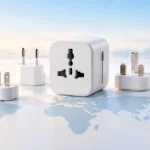
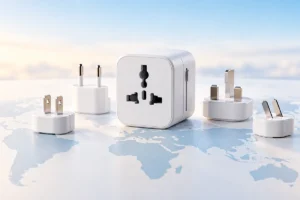
Countries use different outlet shapes. A plug that fits a wall outlet at home may not fit at your destination, even when the device itself can handle the local voltage. A travel adapter changes the plug shape so you can connect it to the outlet. It does not, by itself, change the electricity supplied to your device.
There is no single plug type for all of Europe or all of Asia. The United Kingdom commonly uses Type G outlets, much of continental Europe uses Type C-compatible outlets, and Australia commonly uses Type I. Some countries have several outlet types, and older buildings may differ from newer ones. Check the plug types for every country on your itinerary, including transit stops where you plan to charge.
Choose an adapter that accepts your device’s plug and fits the destination outlet. If your device needs a grounded connection, use an adapter that preserves that connection rather than forcing a three-prong plug into an ungrounded socket. For other small travel essentials, see our travel tech packing list.
Read the Voltage Label Before You Plug In
Look for an “Input” label on the charger, power brick, or device. A label such as “100–240V ~ 50/60Hz” means it is designed to accept a wide range of AC voltage and frequency. In that case, you usually need only a suitable plug adapter, not a voltage converter. The label on the charger matters more than the country where you bought the phone or laptop.
Many places use roughly 220–240 volts, while the United States commonly uses about 120 volts. Japan commonly uses 100 volts. These differences matter when a device accepts only one narrow input range. For example, a device marked only “120V” should not be connected directly to a 230V outlet through a basic plug adapter.
Check every item separately. A phone charger, laptop brick, electric toothbrush base, and camera charger can have different ratings. Also check for any manual voltage selector and follow the device’s instructions before connecting it. If the label is missing or unreadable, do not guess. Our guide to USB-C cables, chargers, and speeds explains another set of ratings you may see on modern chargers.
Know What an Adapter Can and Cannot Do
A plug adapter is a physical connector. A voltage converter changes voltage. A transformer may also change voltage, but its suitability depends on the device and its power needs. These products are not interchangeable, even when their packaging looks similar. If a device is labeled for 100–240V input, adding a converter is normally unnecessary.
If a device is single-voltage, a converter may sound like an easy fix. In practice, you must match the converter’s input, output, continuous power rating, and intended device type. Some converters are unsuitable for electronics, and a converter does not necessarily correct differences in AC frequency. Motors and appliances with heating elements can be especially demanding.
For a short trip, leaving a single-voltage appliance at home may be simpler and safer than carrying conversion equipment. You might use a suitable appliance supplied by your accommodation or one designed for the destination. Never rely on an adapter’s fit as proof that the electricity is safe. If the ratings or instructions are unclear, ask the device maker or a qualified professional rather than experimenting with a wall outlet.
Why Most Phone and Laptop Chargers Are Easier
Modern phone, tablet, camera, and laptop chargers are often designed for a broad input range. That is why many travelers can charge them abroad with just a plug adapter. Still, “often” is not “always”: read the input label on the exact charger you packed. A replacement or older charger may have different specifications from the one that came with your device.
With USB-C, also check that the charger and cable can supply enough power for the device. A small phone charger might charge a laptop very slowly, or not keep up while the laptop is in use, even though both have USB-C ports. On a multiport charger, the available power may be shared when several devices are connected. Its printed specifications should explain the limits.
Keep chargers uncovered and give them room to release heat. If a charger, cable, or adapter is damaged, unusually hot, or loose in the outlet, stop using it. Heat and charging habits matter at home as well as abroad; see our tips on making a laptop battery last longer for everyday battery care.
Why Hair Dryers and Similar Appliances Need More Care
Hair dryers, curling irons, travel kettles, and other heat-producing appliances can draw far more power than a phone charger. Many are also made for a limited voltage range. A 120V-only hair dryer connected to a 230V outlet through a basic adapter can overheat or fail. A 230V-only appliance used on a lower-voltage supply may work poorly or not as intended.
Some travel hair dryers have a dual-voltage switch, but you must set it correctly before use and follow the instructions. Others adjust automatically. Do not assume “travel” in a product name means automatic dual-voltage support. Check the input label, switch position, plug adapter, and power rating together.
High-wattage appliances can also exceed the rating of a compact travel adapter or voltage converter. Check the appliance’s wattage against the adapter’s stated limits, including any limits that change with voltage. Avoid using these appliances with an extension lead or power strip unless the equipment is clearly rated for the load and permitted by your accommodation. When in doubt, use a locally suitable appliance instead.
Use Hotel and Airport Outlets Carefully
Before plugging in, inspect the outlet and your adapter. Do not use an outlet that is cracked, scorched, wet, or so loose that the adapter cannot stay in place. Keep electrical equipment away from sinks and baths. If an adapter blocks a neighboring outlet or hangs awkwardly under the weight of a charger, move to a safer outlet rather than forcing it into position.
Check the power rating printed on a universal adapter, especially if it has USB ports and an AC socket. Its USB ports may have different limits from the pass-through socket. Do not stack several adapters together to make an awkward plug fit, and do not use an adapter to bypass a device’s grounding connection. A power strip from home also needs its own voltage rating checked before you use it abroad.
Public USB ports may be convenient, but your own charger in a wall outlet gives you more control over the charging equipment. A power bank can help when outlets are scarce, though airline rules for carrying one can vary by capacity and carrier. Check those rules before flying, and keep a backup charging plan for long travel days.
A Simple Pre-Trip Charging Checklist
We researched the common points that cause charging mistakes abroad. A few minutes of checking at home can help you avoid carrying the wrong adapter or plugging a single-voltage appliance into the wrong outlet.
- List the countries you will visit and check their outlet types and typical voltage.
- Read the “Input” label on every charger and appliance you plan to plug in.
- Match your plug adapter to the destination, and confirm it supports any grounding your device requires.
- Check the wattage of hair tools and other high-power appliances against the equipment you plan to use with them.
- Pack undamaged chargers and cables, plus a backup way to charge essential devices.
If you pack a battery backup, compare its capacity, output ports, and charging speed with your devices before leaving. Our guide to portable power bank specifications can help you read those labels. Finally, check your airline’s current battery rules rather than assuming the same limits apply to every flight. The simplest setup is usually a correctly rated charger, a suitable plug adapter, and fewer high-power appliances in your bag.
Frequently Asked Questions
Does a travel adapter change voltage?
No. It changes the plug connection, so check your device’s input label before using it.
Can I use my phone charger in a 230V country?
Usually, if its input label says 100–240V and 50/60Hz. You will still need a plug adapter that fits the outlet.
Is a dual-voltage hair dryer safe to use anywhere?
Not automatically. Check its voltage settings, plug adapter, wattage, and instructions before use.
Should I bring a voltage converter for my laptop?
Most modern laptop power bricks accept 100–240V, but check yours. If it does, a suitable plug adapter is normally enough.
Final Thoughts
Check the outlet shape and the device’s input rating as two separate steps. Most modern chargers make travel charging straightforward, but single-voltage and high-power appliances deserve extra care. When a label is unclear, do not plug the device in until you have reliable guidance.