Better phone video does not require a new camera or a bag of accessories. A few deliberate choices about framing, exposure, sound, and light can make everyday clips easier to watch.
Start With a Clear Shot
Before you press record, decide what the viewer should notice. If you are filming a person, keep distracting objects out of the background. If you are showing a product, move close enough for its important details to be visible. A simple shot with one clear subject usually works better than a wide shot full of clutter.
Clean the camera lens with a soft cloth. Fingerprints can make an otherwise sharp scene look hazy, especially when a lamp or window is in the frame. Use the rear camera when you can see what you are filming, since it often gives you more lens choices. The front camera is still useful when you need to frame yourself without help.
Choose horizontal video for a wide screen and vertical video for a phone-first feed. Make that choice before recording rather than cropping later. If you are comparing phones for regular video use, our guide to choosing a budget smartphone explains which features are worth checking. Whatever phone you own, careful framing is a free place to start.
Lock Focus and Exposure Before Recording
Phones constantly adjust brightness and focus. That is helpful when you point the camera at a new scene, but it can be distracting during a clip. A face may suddenly become dark when a bright window enters the frame, or the camera may switch focus to something behind your subject.
Set up the shot, then tap the screen where your subject is. Many camera apps let you press and hold to lock focus and exposure; the exact control varies by phone and app. Look for an on-screen lock indicator, and check your phone’s camera controls if a long press does something else. If there is a brightness slider, adjust it until bright areas keep some detail and faces are easy to see.
Locking exposure works best when the light and subject stay fairly consistent. If you walk from a dark room into daylight, a fixed setting may leave part of the clip too dark or too bright. For that kind of move, either let the phone adjust or record two separate shots. Watch a few seconds of playback before filming the full take so you can catch unwanted focus or brightness changes.
Stabilize the Phone Without Expensive Gear
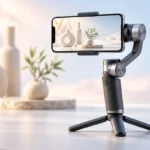
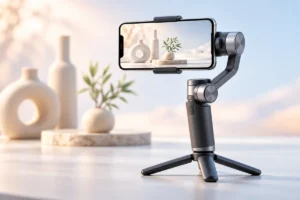
A steady camera helps a video feel intentional. For a stationary shot, rest your phone against something secure or use a small phone clamp with a tripod. Check that the phone cannot slip, and keep the support out of the frame. A stack of books can help you find the right height, but it should sit on a firm surface.
When you must hold the phone, use both hands and keep your elbows close to your body. Stand with your feet apart and turn your whole body slowly instead of twisting your wrists. If you are walking, take short, smooth steps and expect some movement. Built-in stabilization can help, but it cannot fully rescue a rushed shot or a sudden jolt.
For a desk video, position the phone before arranging the rest of the workspace. Our small-budget home office guide offers ideas for making a compact desk more usable. You do not need a motorized stabilizer for most seated videos. A stable surface, a sensible camera height, and a few seconds to check the frame are often enough.
Choose the Right Microphone for the Scene
Clear speech matters more than many people expect. A viewer may accept an ordinary-looking clip, but distant, echoing speech is hard to follow. Start with the phone’s built-in microphone and keep the phone reasonably close to the person speaking. Record a short sample, then listen through headphones before you continue.
If the phone must be farther away, consider a wired clip-on microphone that works with your phone, or a wireless microphone system if you need freedom to move. Check the connector and recording app before relying on either option. A USB-C plug does not mean every microphone will work with every phone; our USB-C guide to cables and connections can help you understand what to check.
Microphone placement also matters. Keep it away from rubbing clothes and strong wind, and point a directional microphone toward the speaker if its instructions call for that. In a noisy place, moving to a quieter spot often helps more than changing equipment. If you film outside, a suitable wind cover can reduce gust noise, but it will not remove traffic or nearby conversations.
Use Simple Lighting Angles
You can make a noticeable difference with a window or a lamp you already have. Place your subject so the light reaches the front of their face from a slight angle, rather than coming from directly behind them. A window behind the speaker often makes the background bright and the face dark.
Soft light is easier to work with than a harsh beam. If direct sunlight makes someone squint or casts strong shadows, move them into open shade or farther from the window. For a desk shot, move a lamp to one side and aim it carefully so it lights the subject without shining into the lens. Keep lamps at a safe distance from anything that could heat up.
Look at the phone screen from the viewer’s point of view. Can you see the speaker’s eyes? Are shiny surfaces reflecting a bright bulb? Small changes in position can solve both problems. Try to avoid mixing strongly different light colors, such as cool daylight on one side of a face and a warm lamp on the other. Consistent, gentle light is usually more useful than simply adding more light.
Pick Sensible Settings and Leave Room to Record
For most everyday videos, the standard video mode is a good starting point. Higher resolution can preserve more detail, but it also uses more storage and may make sharing slower. A steady, well-lit clip at a modest setting is more useful than a large file with shaky framing or poor sound.
Choose a frame rate before you begin and keep it consistent across clips you plan to edit together. A standard frame rate is suitable for conversation and general scenes; a higher one can be useful for fast movement when there is enough light. If you are unsure, use the camera app’s default and concentrate on the shot. Avoid changing several settings at once, or it becomes hard to tell what helped.
Check available storage and battery before a long recording. Recording can stop when space runs out, and some phones may warm up during extended video use. If your phone is crowded, our guide to freeing up Android storage covers ways to make room. Keep important clips backed up before deleting anything. Finally, record a brief sample in the place where you will shoot and check both its picture and sound.
A Simple Pre-Recording Checklist
You do not need to perfect every setting for every clip. Use this quick check when the video matters, such as a family interview, a product demonstration, or a presentation. It takes less effort than discovering a problem after everyone has left.
- Frame: Clean the lens, choose horizontal or vertical, and remove background clutter.
- Light: Put the main light in front of the subject or slightly to one side, then check for harsh shadows.
- Stability: Rest or mount the phone for a fixed shot; use both hands for a moving shot.
- Picture: Tap your subject, lock focus and exposure if appropriate, and check the screen for blown-out bright areas.
- Sound: Record a short sample and listen for echo, wind, clothing noise, or distant speech.
- Space: Confirm that the phone has enough battery and storage for the planned take.
Then record a few extra seconds before and after the action. Those quiet moments give you room to trim the clip cleanly. If something goes wrong, change one thing and make another short sample rather than recording the entire scene again without checking it.
Frequently Asked Questions
Should I record phone video in 4K?
Use 4K if you need the detail and have enough storage, but it is not necessary for every clip. Good light, steady framing, and clear sound usually matter more.
Why does my video get brighter and darker while I record?
Your phone may be adjusting exposure as the scene changes. In steady light, try locking exposure on your subject before recording.
Do I need an external microphone?
Not always. Try the built-in microphone close to the speaker first, then consider an external microphone if the phone must sit farther away.
What is the easiest way to improve indoor lighting?
Face a window or place a lamp slightly to one side of your subject. Avoid putting the brightest light directly behind the person you are filming.
Final Thoughts
Better phone video starts with a clear subject, a steady shot, and sound you can understand. Lock exposure when the light is consistent, place your light with care, and check a short sample before the full take. These small habits can make the phone you already own much more useful.