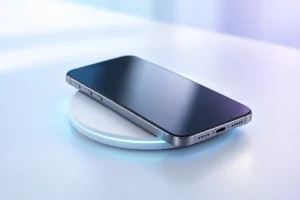
Wireless charging is convenient: set down your phone and pick it up later with more battery. But the speed printed on a charger is not the speed you will see all the time. We researched the current standards, everyday speed limits, and heat trade-offs to help you decide when a pad makes sense and when a cable is better.
How Wireless Charging Works
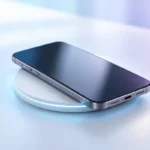
A wireless charger uses a coil to create a changing magnetic field. A matching coil inside your phone receives that energy and turns it into power for charging the battery. The two coils need to sit close together, which is why a phone charges on a pad but not from across a room.
Charging starts only when the phone and charger can communicate and agree on a supported power level. If they do not align well, the connection may run slowly or stop. A thick case, metal attachment, or poorly placed phone can get in the way. Magnetic chargers help by pulling compatible phones into the right position.
Wireless charging is useful for a desk or bedside table, where you can leave a phone in one place. It is less convenient if you want to use the phone while it charges. If charging support matters when choosing a new device, check the phone’s specifications rather than assuming every model has it. Our budget smartphone buying guide covers other features worth weighing alongside charging.
Qi, Qi2, and Brand-Specific Charging
Qi is the widely used wireless charging standard from the Wireless Power Consortium. It helps phones and chargers from different makers work together, but a Qi label alone does not promise the fastest speed a phone can accept. Both the device and the charger must support the same charging mode.
Qi2 added a magnetic alignment profile, making it easier for supported phones to land in the right spot. Early Qi2 chargers commonly offered up to 15 W. The newer Qi2 25W specification allows higher power on compatible, certified devices and chargers. Those numbers are maximum supported levels, not a promise that a phone will charge at that rate from empty to full.
Some brands also offer faster wireless modes using their own chargers and supported phones. A charger may fall back to a slower Qi mode with a different device. Before buying, check the exact phone model, charger certification, and power-adapter requirements. The wall adapter and its cable matter too: if either cannot supply enough power, the wireless charger cannot reach its advertised maximum. Our USB-C guide to cables, chargers, and speeds explains that part of the setup.
Why Advertised Watts Are Not Real-World Speed
A charger’s watt rating tells you its possible maximum output under the right conditions. It does not tell you how many watts reach the battery throughout a charging session. The phone controls the process and may reduce power as its battery fills, when it gets warm, or when its software decides a slower rate is appropriate.
That is why two chargers with different advertised ratings may feel similar during a long overnight charge. The difference is more likely to matter when the phone is low, cool, correctly aligned, and able to accept the faster mode. Even then, comparing watt ratings alone is not a reliable way to predict the time needed to reach a particular battery level.
Read a speed claim with three questions in mind: Does my exact phone support that wireless mode? Does this charger support it? Do I have the required wall adapter? If any answer is no, expect a lower rate. For a quick top-up before leaving home, a suitable cable is usually the more dependable choice.
Heat: The Main Trade-Off
Wireless charging loses some energy as heat. Misaligned coils can make that worse, and a phone may also warm up because it is running demanding apps while charging. Warmth does not automatically mean something is wrong, but excess heat is not helpful for a battery. Phones generally manage this by reducing charging power when they get too warm.
Give the phone and charger room to release heat. Avoid charging under a pillow or blanket, and do not leave the setup in direct sun. If a case is unusually thick or contains metal, remove it if charging is unreliable or the phone becomes hot. Stop charging and check the device and accessories if you notice unusual heat, a smell, or visible damage.
Using a cable will not eliminate heat: fast wired charging, gaming, and a hot room can also warm a phone. The useful habit is to keep charging conditions sensible, whichever method you choose. For more on everyday battery care, see our guide to keeping your phone battery healthy.
Choosing a Pad, Stand, or Magnetic Charger
A flat pad is simple, but you must place the phone over its charging area. A stand keeps the screen visible for calls, notifications, or a desk clock. A magnetic charger can make alignment easier if your phone and case support the right magnetic system. None of these shapes is automatically faster; compatibility matters more.
Check whether the product is certified for the standard it claims to support. Then confirm the supported output for your phone, not just the largest number on the box. Look at what is included: some wireless chargers need a separate wall adapter, and an older low-power adapter may limit performance.
Think about where the charger will live. A bedside charger can be modestly fast because the phone has hours to charge; a desk charger should be easy to align after each pickup. If you use a case, check its stated wireless-charging compatibility. Remove cards and loose metal items from between the phone and charger. The best setup is one you can place correctly without having to adjust it every time.
When a Cable Is Still Better
Choose a cable when time matters. A phone and compatible wired charger can often deliver a faster, more predictable top-up than wireless charging, although the result still depends on the phone, cable, adapter, temperature, and battery level. A cable also keeps charging if you pick up and use the phone.
Wired charging is practical in a car, on a train, or beside a portable battery, where a phone may slide off a charging surface. Some power banks include wireless charging, but using a cable is often a better way to get a reliable connection and make the most of the bank’s stored energy. See our guide to portable power bank specifications if you are planning a travel setup.
Wireless charging still earns its place. It reduces the small task of plugging in at a desk or bedside table and gives you an easy place to leave your phone. You do not have to pick one method for everything: keep a wireless charger where convenience helps, and use a cable when you need a quick, steady charge.
A Practical Charging Checklist
Start with the situation rather than the highest watt number. The right choice for an overnight charge may not be the right choice for the last few minutes before you leave.
- For a bedside table: Choose a compatible charger that holds or positions the phone reliably. Maximum speed is less important when the phone has hours to charge.
- For a work desk: A stand or supported magnetic charger can make repeated pickups and put-downs easier. Check that the phone starts charging each time.
- For a quick top-up: Use a suitable cable and adapter, especially if you need to keep using the phone.
- For travel: Bring a cable even if you use wireless charging at home. It works in more positions and avoids relying on a flat surface.
- If charging is slow: Check alignment, case thickness, wall-adapter power, and whether the phone feels hot before assuming the charger is faulty.
Before purchasing any charger, confirm its supported standard against your exact phone model. A compatible setup you can use consistently is more valuable than a high advertised speed you cannot access.
Frequently Asked Questions
Does Qi2 make every phone charge faster?
No. The phone and charger must support the same Qi2 charging mode, and the phone may slow charging as it warms up or fills.
Can I wirelessly charge through a phone case?
Usually, if the case is designed for wireless charging and is not too thick. Metal parts or poor magnetic alignment can interfere, so check the case and charger guidance.
Is it normal for a phone to get warm on a wireless charger?
Some warmth is normal. If the phone becomes unusually hot, stop charging and check its position, case, surroundings, and accessories.
Is wireless charging better than a cable for battery health?
Neither method is automatically better. Avoiding excess heat matters more, while a suitable cable is generally the better option when you need a fast, reliable top-up.
Final Thoughts
Wireless charging is best understood as a convenient place to set down your phone, not a guaranteed shortcut to a full battery. Check compatibility, keep the phone aligned and cool, and use a cable when speed or reliability matters more.