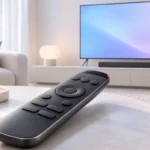
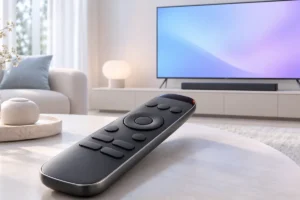
The TV remote, the soundbar remote, the streaming stick remote and the one for the old set-top box. Many living rooms have a small pile of remotes, and the one you need is always under a cushion. We researched universal remotes, phone apps and built-in TV features to work out what really helps when your gear comes from different brands.
Why We End Up With So Many Remotes
Every device maker ships its own remote, and each one is built to control its own product first. Put a TV from one brand next to a soundbar from another and a streaming box from a third, and you have three remotes before you even count a games console or cable box.
The bigger problem is that these devices talk in different ways. Older gear mostly uses infrared (IR), which needs a clear line of sight. Many newer streaming boxes use Bluetooth or Wi-Fi instead, so a simple IR remote cannot reach them at all.
On top of that, settings can clash. The TV may try to switch inputs while the soundbar turns off, or the volume buttons may control the wrong device. That is why “one remote for everything” sounds easy but often takes some setup.
The good news is you have several options, and some cost nothing. The right one depends on how many devices you have, how old they are, and how much fiddling you are willing to do.
Start With What You Already Have: HDMI-CEC
Before buying anything, check a feature called HDMI-CEC. It lets devices connected by HDMI send simple commands to each other. With it turned on, your TV remote can often control the volume on your soundbar, and turning on a streaming box can switch the TV to the right input.
Brands give it different names, which makes it confusing. Samsung calls it Anynet+, LG calls it SimpLink, and Sony uses Bravia Sync. Look in your TV’s settings under HDMI, external devices or general settings.
For soundbars, connecting to the TV’s HDMI ARC or eARC port usually gives the best result, because it carries both sound and control signals. If CEC acts strangely, the cable is rarely the main cause, but a damaged or very old cable can play a part. Our guide on whether expensive HDMI cables are worth the money explains what actually matters.
CEC is not perfect. Some devices ignore certain commands, and mixed brands can behave unpredictably. Still, it is free and worth trying first.
Classic Universal Remotes: Simple and Cheap
Basic universal remotes have been around for decades. You set them up by entering a code for each device’s brand, or by letting the remote scan through codes until your device responds. Many also have a “learning” feature that copies buttons from your original remote.
These remotes are usually affordable and need no app, no account and no Wi-Fi. That makes them a good fit for older relatives or anyone who just wants big, clear buttons.
The main limit is that most of them only send infrared signals. If your streaming stick or console only listens to Bluetooth or Wi-Fi, a basic IR remote may not control it. Before buying, check what each of your devices accepts.
Also, a basic universal remote usually controls one device at a time. You press a device button, then use the controls. It works, but it is not the “one button turns everything on” experience some people hope for.
Smart Hubs and App-Based Universal Remotes
Smart universal remotes add a hub that sits near your TV. The hub can send infrared signals, and many models also support Bluetooth or Wi-Fi control. This means they can often handle cabinet-hidden devices and newer streaming boxes too.
Their big strength is “activities.” One button such as “Watch TV” can turn on the TV, switch the input, power up the soundbar and start the streaming box in one go. Many also work with voice assistants and smart home routines.
There are trade-offs. Setup takes longer, usually through a phone app, and some features depend on the maker’s cloud service. Logitech stopped making its well-known Harmony line in 2021, which is a useful reminder that app-based products depend on the company’s long-term support.
If you are already building a connected home, a hub can fit in nicely. Our smart home starter guide covers which devices make sense to add first.
Using Your Phone as a Remote
Your phone may already be a decent remote. Most major platforms offer free official apps. Google TV and Android TV devices can be controlled from the Google TV app, Apple TV has a remote built into the iPhone Control Center, and Roku, Samsung and LG all have their own apps.
These apps connect over your home Wi-Fi, so the phone and the TV need to be on the same network. A big perk is the on-screen keyboard. Typing a long password or a search on a phone is much faster than pecking letters with arrow keys.
Some Android phones also have a built-in IR blaster, which lets them control older TVs and air conditioners directly. This feature is less common than it used to be, so check your phone’s specs.
The downsides are real, though. You need to unlock the phone and open an app just to pause a show, and the remote stops working when the phone is charging in another room. If you lean on your phone a lot, our tips on keeping your phone battery healthy for years are worth a read.
Making Mixed-Brand Living Rooms Work
Mixed-brand setups are where most remote problems start. A practical approach is to pick one “main” device and let it lead. For many people, that is the streaming box, since its remote often has TV power and volume buttons that work through CEC or IR.
Many streaming remotes from Google, Amazon, Roku and Apple can be set up to control your TV and soundbar during first-time setup or later in the settings. This alone can cut three remotes down to one for daily use.
If you rely on app or Wi-Fi control, a stable home network helps a lot. Laggy or dropping commands are often a Wi-Fi issue rather than a remote issue. Our article on whether you need Wi-Fi 6 or Wi-Fi 7 explains when a router upgrade actually helps.
Finally, accept that one remote may not cover every rare task. Keep the original remotes in a drawer for menus and setup screens you only visit once a year.
Practical Tips: Which Option Fits You?
Here is a quick way to choose, based on what we found in our research:
- Two or three devices, mostly HDMI: turn on HDMI-CEC and use your streaming remote. It costs nothing.
- Older TV, DVD player or cable box: a basic IR universal remote with code setup or learning is usually enough.
- Many devices, some hidden in a cabinet: a smart hub remote with activities is the most convenient, but expect a longer setup.
- Lots of typing and searching: use the official phone app alongside a physical remote.
- Older family members: choose a simple remote with large buttons and remove extra remotes from sight.
Before buying any universal remote, write down every device’s brand and model, and note whether it uses IR, Bluetooth or Wi-Fi. Then check the remote’s compatibility list. This five-minute step avoids most returns and frustration.
Frequently Asked Questions
Can one universal remote really control every device?
It can often control most of them, especially with a smart hub model, but some devices use Bluetooth or special features that only their own remote supports. Always check the compatibility list for your exact models before buying.
What is HDMI-CEC and should I turn it on?
HDMI-CEC lets devices connected by HDMI send basic commands to each other, such as power and volume. It is free to try and often reduces the number of remotes you need, so it is worth turning on first.
Is using my phone as a TV remote a good idea?
Phone apps are great for typing searches and passwords, and most are free from the TV or streaming brand. For quick actions like pause or volume, a physical remote is usually faster.
Why does my universal remote not work with my streaming stick?
Many streaming sticks use Bluetooth or Wi-Fi instead of infrared, so a basic IR remote cannot reach them. A smart hub remote with Bluetooth or Wi-Fi support, or the streaming stick’s own remote, is the usual fix.
Final Thoughts
You may not need to buy anything to end remote juggling. Start with HDMI-CEC and your streaming remote, add a phone app for typing, and only then consider a basic or smart universal remote if gaps remain. Match the tool to your devices and your patience, and one click for most things is a realistic goal.