Plugging your phone into the car feels simple, but the speed you actually get can be very different from what the box or the dashboard suggests. Some built-in USB ports barely keep a phone alive with maps running, while a good charger in the 12V socket can fill a phone or even a laptop quickly. Here is what is really going on, and how to get proper charging speeds on the road.
How Much Power Does a Car 12V Socket Really Give?
The round 12V socket, once called the cigarette lighter, is usually the most powerful charging point in a car. Its limit is set by a fuse, not by the socket itself.
Most cars use a 10A, 15A or 20A fuse for this socket. Multiply that by about 12 volts and you get a rough ceiling of 120W to 240W. Your owner’s manual or the fuse box lid usually lists the exact rating.
A few honest points to keep in mind:
- The voltage is not exactly 12V. With the engine running it is often around 13.5V to 14.5V, and lower with the engine off.
- The fuse rating is a maximum, not a comfortable everyday load. Running close to it for long periods can blow the fuse.
- If a car has two or more sockets, they sometimes share one fuse, so the total power is split.
For phones, tablets and most laptops, this is plenty. The real bottleneck is almost never the socket. It is the charger you plug into it, and the cable you use after that.
Why Built-In Car USB Ports Are Often So Slow
Many people are surprised that their phone barely charges from the car’s own USB port. There is a good reason for this.
In many cars, especially older models, the USB-A port was designed mainly for music and data, not charging. These ports often supply only 0.5A to 1A at 5V, which works out to about 2.5W to 5W. With navigation, a bright screen and mobile data running, a modern phone can use nearly that much on its own.
Some cars label one port as a “charge only” port that gives around 2.1A, or roughly 10W. That is better, but still far below what most current phones can accept.
Newer cars increasingly include USB-C ports. Their output varies a lot by model. Some give around 15W, others support USB Power Delivery at 27W, 45W or more. The only reliable way to know is to check the owner’s manual or the manufacturer’s specifications for your exact model and trim.
If your built-in port is slow, it is not broken. It simply was not built for fast charging.
Fast Charging Standards: What Your Charger Must Support
Fast charging only happens when the charger and the device agree on a standard. If they do not speak the same language, they fall back to slow basic charging.
The main standards you will see on car chargers are:
- USB Power Delivery (PD): The main standard for USB-C. Used by iPhones, Google Pixels, most Android phones, iPads and many laptops.
- PPS (Programmable Power Supply): An addition to USB PD. Many Samsung phones need PPS to reach their fastest “Super Fast Charging” speeds.
- Qualcomm Quick Charge: Common on older Android phones, usually through USB-A ports.
For most people today, a car charger with a USB-C PD port is the safest choice. If you own a recent Samsung phone, look for PPS in the listing as well.
The cable matters too. A thin or damaged cable can limit speed, and USB-C cables need an e-marker chip to carry more than 60W. Our guide to USB-C cables, chargers and charging speeds explains these details in plain terms.
Reading Car Charger Wattage Labels Honestly
A car charger might say “100W” on the front, but that number often does not mean what buyers assume.
On multi-port chargers, the headline figure is usually the total output shared across all ports. A “100W” charger with two USB-C ports might give 100W to one device alone, but only 65W and 35W when both are in use. Some cheaper models drop sharply when a second device is connected.
Look for the small print listing per-port output, usually written like “USB-C1: 5V 3A, 9V 3A, 15V 3A, 20V 3.25A”. The highest voltage times current gives that port’s maximum.
Also remember your device decides how much power it takes. A phone that charges at a maximum of 25W will not go faster on a 100W charger. Extra wattage only helps if you plan to charge a laptop or several devices at once.
Finally, choose chargers from known brands that list safety certifications such as UL, CE or FCC, plus protection against overheating, overcurrent and short circuits. Very cheap no-name chargers often overstate their output.
Charging Laptops and Bigger Devices in the Car
Many modern laptops charge through USB-C, which makes car charging much easier than it used to be.
Most thin-and-light laptops are happy with 45W to 65W. Larger laptops may want 90W to 100W or more. A USB-C PD car charger with a 65W or 100W port, plus a cable rated for that wattage, can usually keep these laptops charged while you drive. Gaming laptops with barrel-style chargers often need far more power than a car can comfortably provide.
The other option is a power inverter, which turns 12V into household AC power. Small plug-in inverters are usually rated around 150W. They work, but they waste some energy as heat, and the fan can be noisy. For anything that charges by USB-C, a direct PD car charger is usually more efficient.
If you need power when the car is parked, a power bank is often a smarter choice than draining the car battery. Our explainer on what power bank specs really mean helps you pick one that suits your devices.
Heat, Car Batteries and Device Safety
Cars are tough places for electronics. Two things deserve attention: heat and the car’s own battery.
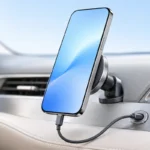
Phones slow down charging, or stop entirely, when they get too hot. A phone in a windshield mount, in direct sun, running GPS and fast charging at the same time can easily overheat. Placing the phone near an air vent or out of direct sunlight helps a lot. Our tips on protecting your gadgets from summer heat are especially useful for car use.
On the car side, some 12V sockets stay powered even when the engine is off. Leaving a charger, dash cam or cooler plugged in for days can drain the battery, especially in older cars or cold weather. Unplug when parked for long periods, or check whether your socket switches off with the ignition.
A good habit is to unplug devices before starting the engine. The voltage can dip during cranking, and while quality chargers handle this well, it is a simple precaution.
Practical Tips: Getting the Best Charging Speed in Your Car
Here is a quick comparison of typical charging sources, based on what we researched from manufacturer specs and common car designs:
- Older built-in USB-A port: about 2.5W to 5W. Fine for keeping a phone topped up, not for fast charging.
- “Charge only” USB-A port: around 10W to 12W. Slow but usable.
- Newer built-in USB-C port: roughly 15W to 60W depending on the car. Check your manual.
- Quality 12V USB-C PD charger: commonly 20W to 100W or more per port. Usually the fastest and most flexible choice.
Simple steps that make a real difference:
- Use a USB-C PD charger in the 12V socket instead of an old built-in USB-A port.
- Match the charger to your device: around 20W to 30W for most phones, 45W or more for tablets and laptops, and PPS for Samsung fast charging.
- Use a short, good-quality cable rated for the wattage you need.
- Keep the phone out of direct sun and lower screen brightness while navigating.
- Do not rely on the car to charge a nearly empty phone during a short trip. Charge at home and use the car for top-ups.
As of late 2026, decent single-port USB-C PD car chargers from known brands generally cost somewhere around $10 to $30, with higher-wattage multi-port models costing more. Prices vary by region and seller. Since frequent heat and fast charging can wear a battery over time, our guide on keeping your phone battery healthy for years is worth a read too.
Frequently Asked Questions
Why does my phone charge so slowly from my car’s USB port?
Many built-in car USB ports, especially older USB-A ones, only supply about 2.5W to 5W because they were designed mainly for music and data. A USB-C PD charger in the 12V socket is usually much faster.
Can I charge a laptop in my car?
Yes, if your laptop charges over USB-C, a USB-C PD car charger with enough wattage (often 65W to 100W) and a matching cable will usually work. Laptops with barrel chargers may need a small inverter instead, which is less efficient.
Will a car charger drain my car battery?
It can if the 12V socket stays powered when the engine is off and devices are left plugged in for a long time. Unplug chargers and accessories when the car is parked for days, especially in cold weather.
Is a higher wattage car charger always better?
Not always, because your device only draws as much power as it supports. Extra wattage is useful for laptops or charging several devices at once, but a phone limited to 25W will not charge faster on a 100W charger.
Final Thoughts
The 12V socket in most cars has more than enough power for phones, tablets and many laptops. The slow charging people complain about usually comes from old built-in USB ports, weak chargers or poor cables. A certified USB-C PD car charger, the right cable and a bit of care with heat will give you fast, reliable charging on almost any drive.