If your eyes feel tired, dry or sore after a long day of screens, you have probably been told that blue light is to blame. The real story is simpler and more useful: most screen discomfort comes from how we use our screens, not the color of the light they give off. Here is what the research actually says, and which fixes are worth your time.
What Blue Light Is (and How Much Screens Give Off)
Blue light is simply part of normal visible light. It sits at the short-wavelength end of the rainbow, and the biggest source of it in your life is the sun, not your phone.
Phones, laptops and monitors do give off blue light, because white light on a screen is made by mixing red, green and blue. But the amount is small. A sunny day outdoors exposes you to far more blue light than hours of screen use indoors.
Major eye health groups, including the American Academy of Ophthalmology, have said there is no good evidence that the blue light from digital screens damages the eye. Lab studies that showed harm generally used very intense light, far beyond what a screen produces.
That does not mean your discomfort is imaginary. Tired, dry and achy eyes after screen time are very real. They even have a name: digital eye strain, sometimes called computer vision syndrome. The point is that blue light is usually not the cause.
The Real Culprit Number One: You Blink Less
When you stare at a screen, you blink much less often than normal. Studies have found that blink rate can drop by around half or more during focused screen work. Many of the blinks you do make are also incomplete, meaning the eyelid does not fully close.
Blinking spreads a fresh layer of tears across the eye. When you blink less, that tear film dries out. The result is the classic set of symptoms: dryness, burning, a gritty feeling, redness and slightly blurry vision that clears when you blink.
Things that make it worse include air conditioning, fans blowing toward your face, heating in winter and contact lenses. A screen placed too high also makes it worse, because you open your eyes wider to look up, which exposes more of the eye surface to the air.
The good news is that this is one of the easiest problems to fix. Regular breaks, conscious blinking and, if needed, lubricating eye drops from a pharmacist can make a noticeable difference for many people.
Culprit Number Two: Distance and Screen Position
Your eyes use small muscles to focus on near objects. Looking at something close for a long time keeps those muscles working without a rest, which can lead to tired eyes and headaches.
Phones are the biggest offender here, because we tend to hold them quite close to our faces. Laptops are next, since they often sit low on a desk and force you to look down and lean in.
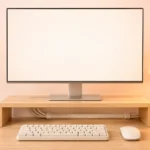
Common guidance for a desktop screen is roughly an arm’s length away, with the top of the screen at or slightly below eye level. That gentle downward gaze is more comfortable and helps reduce dryness. If you use a laptop for hours, a cheap stand plus a separate keyboard can help a lot. Our guide on setting up a home office on a small budget covers affordable ways to get your screen height right.
Text size matters too. If you squint or lean forward to read, increase the zoom or font size. A bigger font is one of the simplest comfort upgrades there is.
Culprit Number Three: Brightness, Glare and Contrast
A screen that is much brighter or much darker than the room around it makes your eyes work harder. A blazing white screen in a dark bedroom is uncomfortable. So is a dim laptop next to a sunny window.
The goal is to roughly match your screen brightness to your surroundings. Most phones and many laptops have automatic brightness, which does a decent job of this. Lowering brightness when you can also has a nice side effect, as explained in our article on making your laptop battery last longer.
Glare is another hidden problem. Reflections from windows or overhead lights reduce contrast, so you strain to read. Try turning the screen slightly, closing blinds, or using a matte screen protector if reflections bother you.
Some people are also sensitive to flicker. Certain screens, especially some OLED panels, dim themselves by flickering rapidly (a method called PWM). Most people never notice it, but a minority report headaches. If that sounds like you, look for reviews that mention flicker or “DC dimming” before buying.
Blue Light Glasses: What the Evidence Says
Blue light blocking glasses are heavily marketed as a cure for eye strain. Unfortunately, the research does not back that up well.
A large Cochrane review published in 2023 looked at the available trials and concluded that blue light filtering lenses probably make little or no difference to eye strain from computer use, at least in the short term. The review also found little reliable evidence about long-term eye health benefits.
Some people do say their glasses feel more comfortable. That may be partly due to other features, like an anti-glare coating, or simply because wearing them reminds people to think about their eyes. It is not proof that filtering blue light is the reason.
If you already own a pair and like them, there is no harm in wearing them. But if you are deciding where to spend money, an up-to-date eye exam is a much better investment. Many cases of “screen strain” turn out to be an uncorrected prescription or a need for glasses set for computer distance.
Night Mode, Blue Light and Sleep
There is one area where blue light genuinely matters: your body clock. Bright light in the evening, especially bluish light, can signal your brain that it is still daytime and delay the release of melatonin, the hormone that helps you feel sleepy.
That is why phones and laptops offer night mode, Night Shift or Night Light settings, which make the screen warmer and more orange in the evening. These features are free and harmless, so turning them on is reasonable.
However, studies on night mode alone have shown mixed and often small effects on actual sleep. The overall brightness of the screen, and the fact that scrolling keeps your mind active, likely matter just as much as the color.
In practice, the bigger wins are dimming the screen at night, putting the phone down a little earlier and keeping it out of reach in bed. Dark mode can help with comfort in a dark room, and on OLED phones it may save a bit of power too, which ties in with our tips on keeping your phone battery healthy for years.
Real Fixes vs Marketing: A Quick Comparison
Based on what we researched, here is an honest look at common fixes and how much they are likely to help.
- The 20-20-20 rule (real): Every 20 minutes, look at something about 20 feet (6 meters) away for 20 seconds. It rests your focusing muscles and reminds you to blink. Free and widely recommended by eye doctors.
- Conscious blinking (real): A few slow, full blinks during breaks help refresh the tear film.
- Better screen position (real): Arm’s length away, top of the screen at or just below eye level.
- Matching brightness to the room (real): Use auto-brightness or adjust it by hand.
- Larger text (real): Stops you from leaning in and squinting.
- Lubricating eye drops (real for dry eyes): Ask a pharmacist or eye doctor which type suits you.
- An eye exam (real): Uncorrected vision is a common hidden cause of strain.
- Night mode (mildly helpful): Free and harmless, but dimming and less late-night use matter more.
- Blue light glasses (mostly marketing): Current evidence suggests little or no benefit for eye strain.
- “Eye care” screen modes (it depends): Some only tint the screen; flicker-free dimming may help sensitive users.
If you are shopping for a new phone and screen comfort matters to you, look at reviews that cover brightness range and flicker. Our guide on how to choose a budget smartphone in 2026 explains which display specs are worth paying attention to.
Frequently Asked Questions
Does blue light from screens damage your eyes?
Current evidence says no. Major eye health organizations have found no good proof that the blue light from phones, laptops or monitors causes damage to the eye.
Are blue light glasses worth buying?
For eye strain, research suggests they make little or no difference. An eye exam, regular breaks and a better screen setup are more likely to help.
What is the 20-20-20 rule?
Every 20 minutes, look at something about 20 feet away for 20 seconds. It gives your focusing muscles a rest and reminds you to blink.
Should I use night mode on my phone?
It is free and harmless, so turning it on is fine, but its effect on sleep appears small. Lowering brightness and putting the phone away earlier usually matter more.
Final Thoughts
Screen discomfort is real, but blue light is rarely the cause. Blinking less, sitting too close and poor brightness or glare do most of the damage to your comfort, and all of them can be fixed for free or very little money.
Before spending money on special glasses or filters, try regular breaks, a better screen position and sensible brightness. If your eyes still bother you, book an eye exam. It is the most honest and effective upgrade you can make.